

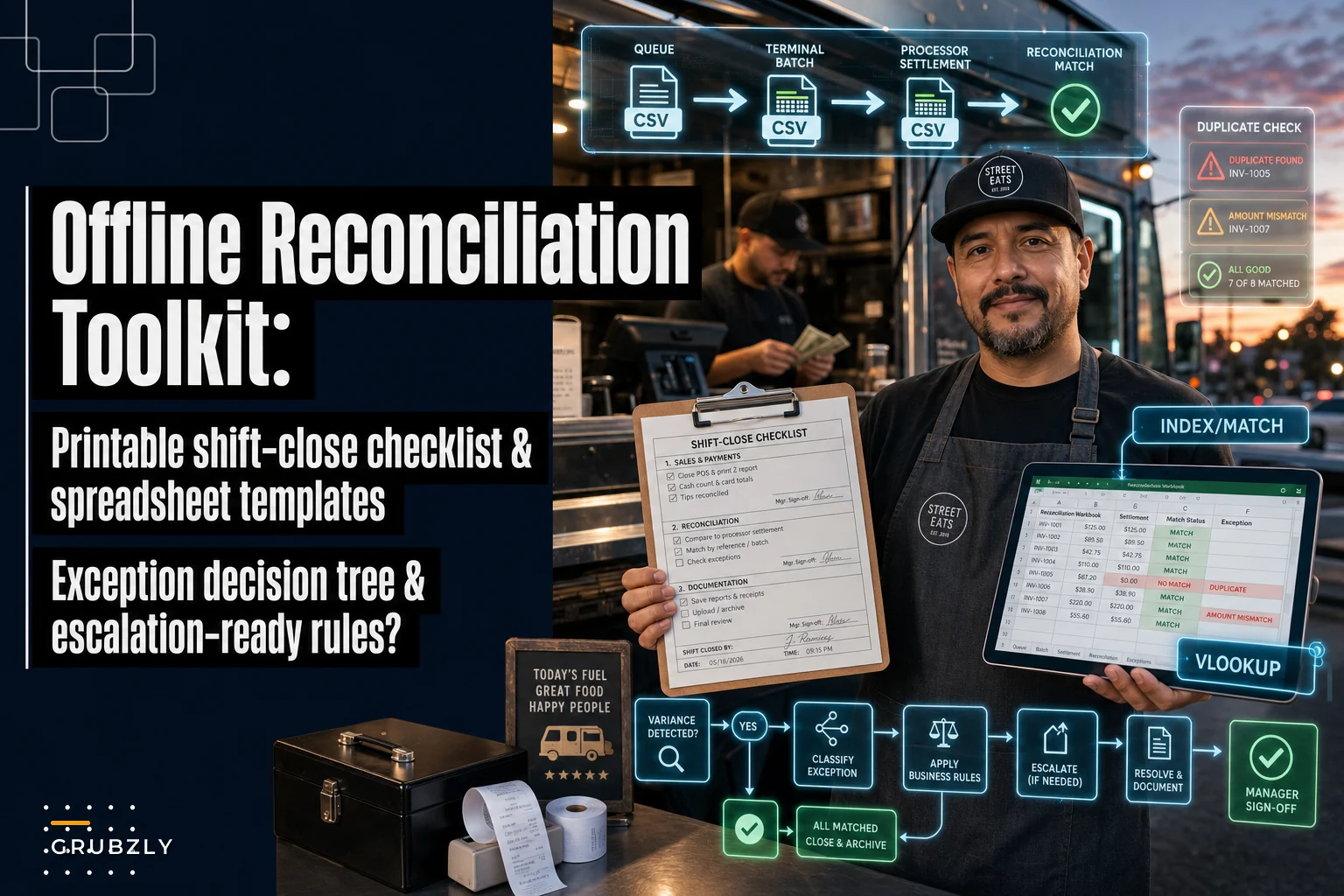

The ugly part of an offline shift isn't the moment the terminal says "no connection." You already know how to switch to offline mode and keep taking cards. The ugly part comes two days later, when the processor settlement hits your bank and the numbers don't match your queue, your batch report, or your till count — and now you're staring at three screens trying to figure out whether you got double-charged, lost a sale, or just fat-fingered a re-key.
This toolkit is built for that exact gap: the handoff between what your POS said happened during the offline window and what actually settled. It gives you a printable shift-close checklist, a spreadsheet layout with real formulas, a transaction-level matching procedure, and a decision tree for the exceptions that eat your whole afternoon. If you want the broader daily rhythm this fits into, the daily cashflow & POS reconciliation routine for offline vendors is the parent process — this piece zooms all the way into the messy reconciliation itself.
The three records that never line up (and why)
When a card reader goes offline, you end up with three separate versions of the truth, created at three different times by three different systems:
-
The offline queue — transactions your POS stored locally because it couldn't authorize them live.
-
The terminal batch — what the terminal actually transmitted once it reconnected and closed out.
-
The processor settlement — what the payment processor approved, declined, or funded into your account.
In a perfect world these are identical. In real operations they drift apart for boring, predictable reasons:
-
A queued card was declined on retransmit (expired card, insufficient funds), so it's in your queue but never settles.
-
A flaky connection caused a transaction to transmit twice — now it's in the batch twice but you only served one customer.
-
The terminal reset mid-batch and a chunk of queued sales never made it out at all.
-
Someone re-keyed a stuck transaction manually, so now you have the original queued record and the re-keyed one.
The pattern that shows up most often on busy event days is the partial batch — maybe 80–90% of the queue transmits cleanly, a handful decline, and one or two duplicate. Nobody notices until the deposit is short by $140 against a day that rang up $2,300 on the POS. That $140 is almost never one problem. It's usually a $90 decline, a $60 duplicate that got refunded, and a $10 tip adjustment nobody logged.
The whole job of reconciliation is to label every dollar of that gap with a reason code. Not to make it disappear — to explain it.
One-page printable: "Offline Reconciliation Shift Close" checklist
Print this and clip it to the register or the close-out binder. Whoever closes the shift should fill it out before they leave, while memory is fresh and the terminal is still in front of them. A gap you investigate the same night takes ten minutes. The same gap three days later takes an hour of forensic scrolling.
Stop losing sales to poor planning.
Grubzly helps you plan routes, track inventory, and maximize daily sales effortlessly.
- Real-time route optimization
- Inventory tracking & alerts
- Mobile sales & reporting
No credit card required
OFFLINE RECONCILIATION — SHIFT CLOSE
| Field | Entry |
|---|---|
| Date | |
| Location / Stop | |
| Terminal ID(s) | |
| Offline window start (time connection dropped) | |
| Offline window end (time reconnected) | |
| # transactions taken in offline mode | |
| Offline mode $ total (POS screen) | $ |
| Terminal batch closed? (Y/N) + batch # | |
| Batch transmitted $ total | |
| # declined on retransmit | |
| Declined $ total | |
| # manually re-keyed | |
| Suspected duplicates flagged | |
| Cash drawer counted total | $ |
| Over/short vs expected cash | $ |
Sign-offs
-
Closed by (name / initials)
-
Re-keyed transactions witnessed by
-
Variance over threshold escalated to
-
Reviewed by bookkeeper (date)
Three rules that make this checklist actually work:
-
The person who re-keys a card is not the same person who signs off the variance. (More on segregation of duties below.)
-
Any offline window longer than your terminal's stored-transaction limit gets flagged in red — those are the shifts most likely to silently drop sales.
If you can't reconcile on the spot, write down the raw numbers anyway. You can solve the mystery later, but only if the evidence was captured now.
The spreadsheet layout: matching queue → batch → settlement
One workbook, three source tabs, one matching tab. The whole thing is built so a bookkeeper can paste three exports in and let the formulas flag the mismatches.
Tab structure
-
Tab 1 —
Queuethe offline queue export from your POS
-
Tab 2 —
Batchthe terminal batch detail
-
Tab 3 —
Settlementthe processor settlement/funding report
-
Tab 4 —
Matchthe reconciliation worksheet that pulls from all three
Columns for each source tab
| Column | Field | Notes |
|---|---|---|
| A | TxnID | Transaction ID / auth reference |
| B | DateTime | Timestamp of sale |
| C | Amount | Base amount |
| D | Tip | Tip amount (settles separately on many processors) |
| E | Total | Amount + Tip |
| F | CardLast4 | Last 4 digits |
| G | AuthCode | Authorization code |
| H | Status | Approved / Declined / Voided / Refunded |
| I | Terminal | Terminal ID |
The matching formulas
=IFERROR(INDEX(Batch!E:E, MATCH(A2, Batch!A:A, 0)), "NOT IN BATCH")
=IFERROR(INDEX(Settlement!E:E, MATCH(A2, Settlement!A:A, 0)), "NOT SETTLED")
Why INDEX/MATCH instead of VLOOKUP? Because your TxnID won't always be the leftmost column once you start adding helper fields, and INDEX/MATCH doesn't care about column order. If you prefer VLOOKUP and keep TxnID in column A, this works fine too:
=IFERROR(VLOOKUP(A2, Settlement!A:I, 5, FALSE), "NOT SETTLED")
=IF(ISNUMBER(C2), IF(ROUND(B2,2)<>ROUND(C2,2), "AMT MISMATCH", "OK"), "CHECK") (assuming B = queue total, C = settled total on the Match tab)
=COUNTIFS(Batch!F:F, F2, Batch!E:E, E2)
Anything returning 2 or more gets eyeballed. Pair with a timestamp proximity check if your batch has clean timestamps.
Sum the categories you're trying to explain:
Total queued: =SUM(Queue!E:E) Total settled: =SUMIFS(Settlement!E:E, Settlement!H:H, "Approved") Total declined: =SUMIFS(Queue!E:E, Queue!H:H, "Declined") Total refunded: =SUMIFS(Settlement!E:E, Settlement!H:H, "Refunded")
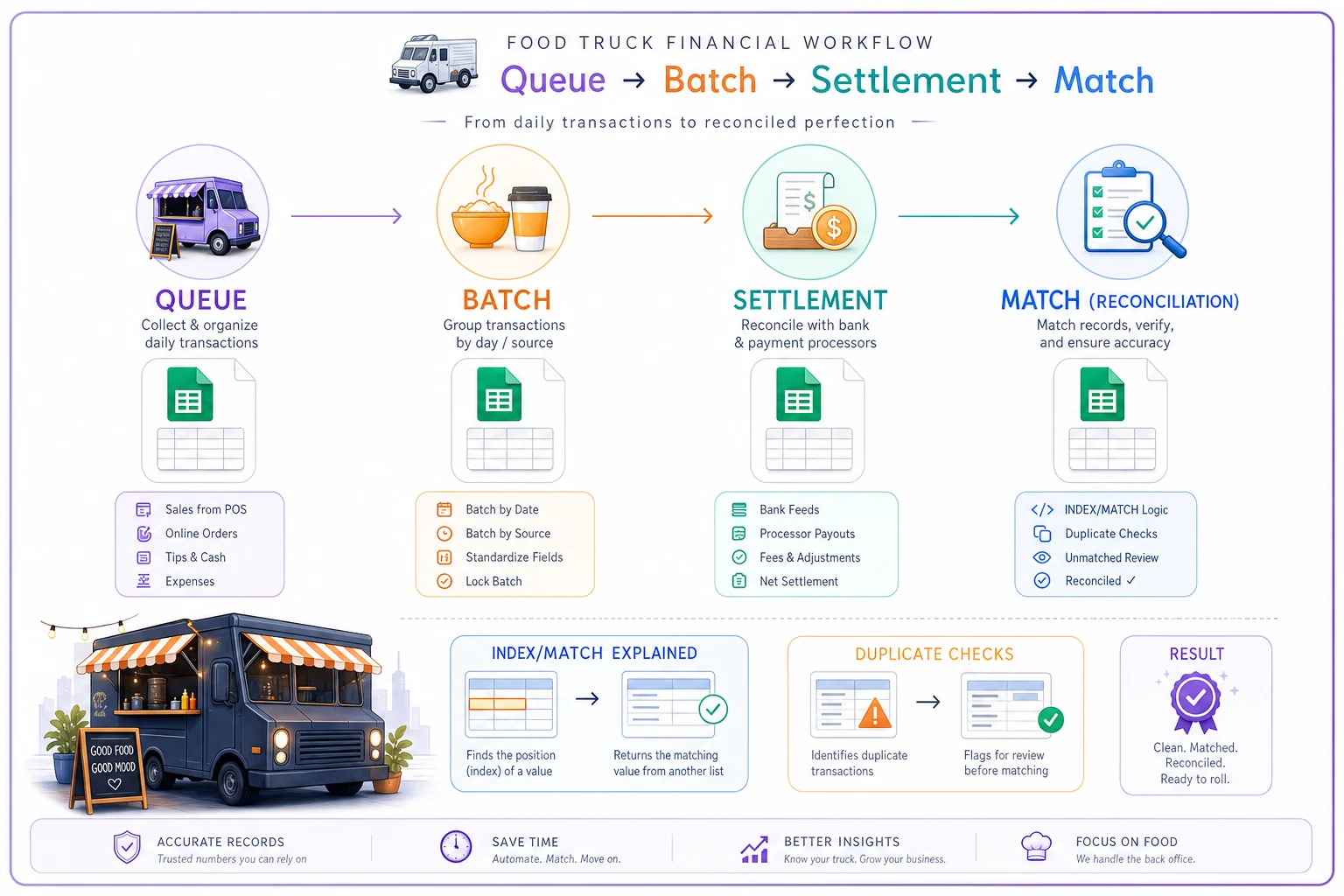
A simple visual of the flow helps explain the matching order to a new bookkeeper.
Pivot suggestions
-
Pivot 1 — by Status
rows =
Status, values = sum ofTotaland count ofTxnID. One glance tells you how many dollars are stuck in "NOT SETTLED." -
Pivot 2 — by Terminal + Status
rows =
TerminalthenStatus. On multi-terminal days this instantly shows if one reader is responsible for most of the gap — and usually, it is.
Once the Match tab is populated, build two quick pivots.
Transaction-level matching: field priority and conflict rules
Automated lookups get you maybe 90% of the way there. The last 10% is manual, and it's where people make expensive mistakes — usually by matching on the wrong field.
Match in this priority order:
-
AuthCode+TxnID— if both match, it's the same transaction, full stop. -
TxnIDalone — strong match, but confirm the amount didn't change (tip adjustments happen here). -
CardLast4+Amount+DateTime(within ~2 min) — use only when IDs are missing or garbled. -
Amount+DateTime— weakest; never use this to confirm, only to investigate.
Conflict rules when fields disagree:
-
ID matches but amount differs → treat as a tip adjustment or partial refund until proven otherwise. Do not mark it a duplicate.
-
Amount and card match but IDs differ → likely a genuine duplicate charge or a re-key of a queued item. Flag for the duplicate decision path below.
-
In queue, approved, but absent from settlement → treat as lost/undelivered and move it into the decision tree immediately. This is the one that actually costs you money.
-
In settlement but not in your queue → someone took a card outside the offline workflow, or it's a prior-day straggler. Trace the timestamp before assuming anything worse.
When IDs are missing, filter by
CardLast4and then use a short time window to reduce false-positive matches.
One thing worth internalizing: declines are not losses, duplicates are not always duplicates, and "missing from settlement" is the only category that reliably equals real lost revenue. New bookkeepers burn hours chasing declines — which are correct, the customer's card just failed — while a genuinely dropped $85 sale sits unnoticed in the spreadsheet.
The exception decision tree
When a transaction doesn't cleanly reconcile, walk it through this. Each branch ends in one of four actions: retransmit, re-key, contact processor, or write-off.
Start: Transaction is in the queue but the money isn't in your account.
-
Is it marked Declined on the terminal/processor? → Yes → No action. It's a genuine decline. Log it as "declined — no revenue." If it was a large or regular-customer ticket, follow up for payment, but don't treat it as a reconciliation error. → No → continue.
-
Did the batch fail to transmit (terminal shows unsent/open batch)? → Yes → Retransmit the batch first. Most "missing" money reappears here. Re-run the match after it settles (usually 1–2 business days). → No / batch already closed → continue.
-
Batch closed but this specific transaction never settled — do you have the auth code and card last 4? → Yes → Re-key the single transaction manually, but only after confirming it isn't already present under a different ID (run the COUNTIFS duplicate check first). Re-keying a transaction that already settled is exactly how you create the duplicate you'll be refunding next week. → No auth code / no card data → Contact the processor with the timestamp and amount (see templates below).
-
Processor confirms it was never authorized and the card data is gone? → Write-off. Log it with a reason code. If write-offs start clustering on one terminal or one type of event, that's a hardware or process problem — not just bad luck.
For suspected duplicate charges:
-
Confirm with the matching rules above (same card + amount + two near-identical IDs).
-
If confirmed, refund the duplicate, document the refund reference, and note it reduces your settled total — update the spreadsheet so the duplicate refund doesn't itself look like a new discrepancy.
-
Never refund on suspicion alone. Confirm it settled twice in the settlement report first.
For partial settlements (processor funded a batch but for less than the batch total):
-
Pull the settlement detail and run the
Statuspivot. The shortfall is almost always declines plus refunds inside that batch, not a funding error. -
If declines and refunds don't explain the gap, then it's a processor issue — escalate with evidence.
Each branch above maps to one of the four actions and a clear next step for escalation or documentation.
Email and case templates
Keep these in a notes file so whoever's handling the exception isn't drafting from scratch at 9pm.
> Subject: Missing settlement — Terminal [ID] — [date] > > Hi [Processor] team, > We have a transaction authorized in offline mode on [date] at approximately [time], amount $[amount], card ending [last4], auth code [code if available], terminal [ID]. It appears in our batch but has not settled to our account as of [date]. > Please confirm its status and expected funding date, or advise if a re-key is required. > Merchant ID: [MID]. Batch #: [batch]. Thanks — [name]
> Subject: Possible duplicate — $[amount] — [date] > > We show two settled transactions for card ending [last4], both $[amount], on [date] within [X] minutes (auth codes [A] and [B]). We served one order. Please confirm whether both funded; we intend to refund [auth code B] and want to avoid a chargeback. MID: [MID].
> Hi [name], during a connection issue at [stop/event] on [date], your card may have been charged twice for one order. We've refunded the extra $[amount] — it should post in [X] business days. Sorry for the hassle, and thanks for eating with us.
That last one is worth sending even when you're not 100% certain. A customer who hears from you first almost never files a chargeback. A customer who spots a double charge on their own statement often does — and a chargeback costs you the fee plus the staff time to fight it, even when you win.
Data exports to request — and the formats that save you
The reconciliation is only as fast as your exports. Ask your POS and processor for these specifically, and push for CSV over PDF every time. A PDF settlement report means someone retypes 60 rows by hand, and retyping is where re-key errors are born.
| Source | What to request | Preferred format | Why it matters |
|---|---|---|---|
| POS | Offline queue detail (incl. declined/unsent) | CSV | The spine of the whole match |
| POS | Full transaction journal for the day | CSV | Catches sales taken outside offline mode |
| Terminal | Batch detail report (per batch #) | CSV / TXT | Confirms what actually transmitted |
| Processor | Settlement/funding report by batch | CSV | The only record of real money |
| Processor | Declines & authorization log | CSV | Separates declines from true losses |
| Processor | Refund/chargeback activity | CSV | Keeps duplicate refunds from looking like new gaps |
If a processor only offers PDF, ask specifically for the "transaction detail export" or API access — most have one buried somewhere in the dashboard even when the default report prints as a PDF.
Escalation SLA and evidence checklist
Disputes resolve fast when you hand the processor a complete package the first time. They drag for weeks when you're replying to their questions one at a time.
Suggested internal SLA:
-
Variance under threshold → bookkeeper resolves within the daily close, no escalation.
-
Variance over threshold or any suspected duplicate → escalate to owner/manager same day.
-
Missing settled transaction → processor contacted within 1 business day (the sooner, the better your re-key and dispute options).
-
Chargeback received → evidence submitted within 48 hours, never on the deadline.
Evidence checklist to attach to any dispute:
-
- [ ] Transaction timestamp, amount, card last 4, auth code
-
- [ ] Terminal ID and batch number
-
- [ ] Screenshot of the offline queue entry
-
- [ ] Batch detail line for the transaction
-
- [ ] Settlement line (or proof of absence)
-
- [ ] Order ticket / receipt copy if available
-
- [ ] Shift-close checklist for that day
-
- [ ] Any customer communication sent
A complete package up-front gets faster, cleaner outcomes.
Segregation of duties and variance thresholds
On a two-person operation you can't fully separate every role, but you can separate the two that matter most: the person who re-keys or refunds should not be the person who approves the variance. That one split prevents both honest mistakes and the occasional dishonest one.
| Role | Responsibility | Should NOT also |
|---|---|---|
| Shift closer | Counts drawer, fills checklist, flags exceptions | Approve their own variances |
| Re-key / refund handler | Executes manual transactions | Sign off final reconciliation |
| Bookkeeper / reviewer | Matches exports, approves write-offs | Handle cash on the same shift |
Suggested variance thresholds (tune these to your average ticket and volume):
-
Under ~$20 or roughly 1% of day's card sales → log and move on.
-
$20–$75 → bookkeeper investigates, documents reason code.
-
Over ~$75, or any single duplicate/missing settled item → owner review and sign-off.
The thresholds matter less than the consistency. A $40 variance you document every single time is fine. A $40 variance you shrug at because it's small becomes a $40 variance three times a week, which adds up to real money by month-end.
A short real scenario
A two-truck taco operation worked a weekend festival where the venue Wi-Fi collapsed by noon both days. They ran offline all afternoon — roughly 180–200 cards across two terminals.
When the deposits landed Tuesday, they were short about $260 against a POS total near $4,100. The owner's first instinct was that the festival had somehow "eaten" the sales. Running the three exports through the match sheet told a different story: around $140 was legitimate declines (cards that failed on retransmit — never real revenue to begin with), roughly $70 was a batch on Terminal 2 that never fully transmitted and reappeared after a retransmit, and the last $50 was a genuine duplicate charge they refunded to the customer with a quick note.
Nothing was actually lost except staff nerves. The whole reconciliation took under half an hour once the CSVs were in place. The year before, the same kind of weekend had sent them chasing phantom "lost sales" for most of a week — and quietly writing off money that had never been gone in the first place.
Make it a habit, not a fire drill
Offline reconciliation feels like detective work the first few times. After that it becomes a form you fill in.
The difference between those two states is entirely whether you captured the raw numbers at close and whether your exports arrive as CSVs you can actually match.
Build the workbook once. Print the checklist. Decide your thresholds and who signs off. After that, an offline shift stops being a threat to your books — it's just one more column that has to add up. And when you fold this into your broader daily offline reconciliation routine, the exceptions that used to swallow your evenings turn into a reason code and a signature.
Build the workbook once. Print the checklist. Decide your thresholds and who signs off. After that, an offline shift stops being a threat to your books — it's just one more column that has to add up.
Ready to drive your food truck business forward?
Join 2,000+ food truck operators relying on Grubzly to boost efficiency, increase sales, and delight customers.