
Your lunch rush hits, and suddenly there's 40 people standing around your window. Half are waiting to order, half are waiting for food, and nobody knows who's who. The regulars who pre-ordered through your app are stuck behind someone asking about every ingredient. Meanwhile, the guy who just wants a basic taco with no modifications waits 12 minutes because he ended up behind three custom orders.
This isn't about cooking faster. It's about understanding that different customers need different service flows, and mixing them all into one line creates artificial bottlenecks that hurt everyone.
Why traditional single-line setups create unnecessary friction
Most food trucks run one service window, one queue. Simple, right? Except this forces every transaction type through the same bottleneck. Your prepaid mobile orders, cash customers asking questions, regulars who know exactly what they want, and first-timers reading the whole menu—they all compete for the same narrow resource.
The math breaks down fast. If an average order conversation takes 90 seconds but a prepaid pickup only needs 15, every prepaid customer stuck behind a walk-up wastes 75 seconds of potential throughput. Multiply that across a lunch rush and you're looking at 15-20 fewer customers served.
What makes it worse is the psychological side. When customers see a long line, many just leave. Industry data puts this "balk rate" anywhere from 15% to 35% depending on perceived wait time. And here's what most operators miss—customers judge wait time by movement, not actual minutes. A line that moves constantly feels faster than one with periodic long pauses, even if total wait time is identical.
The single-line setup also creates operational stress points. Your order-taker can't batch similar items. Your cook can't optimize prep sequences. Everything becomes reactive instead of predictive.
Physical changes that cost almost nothing
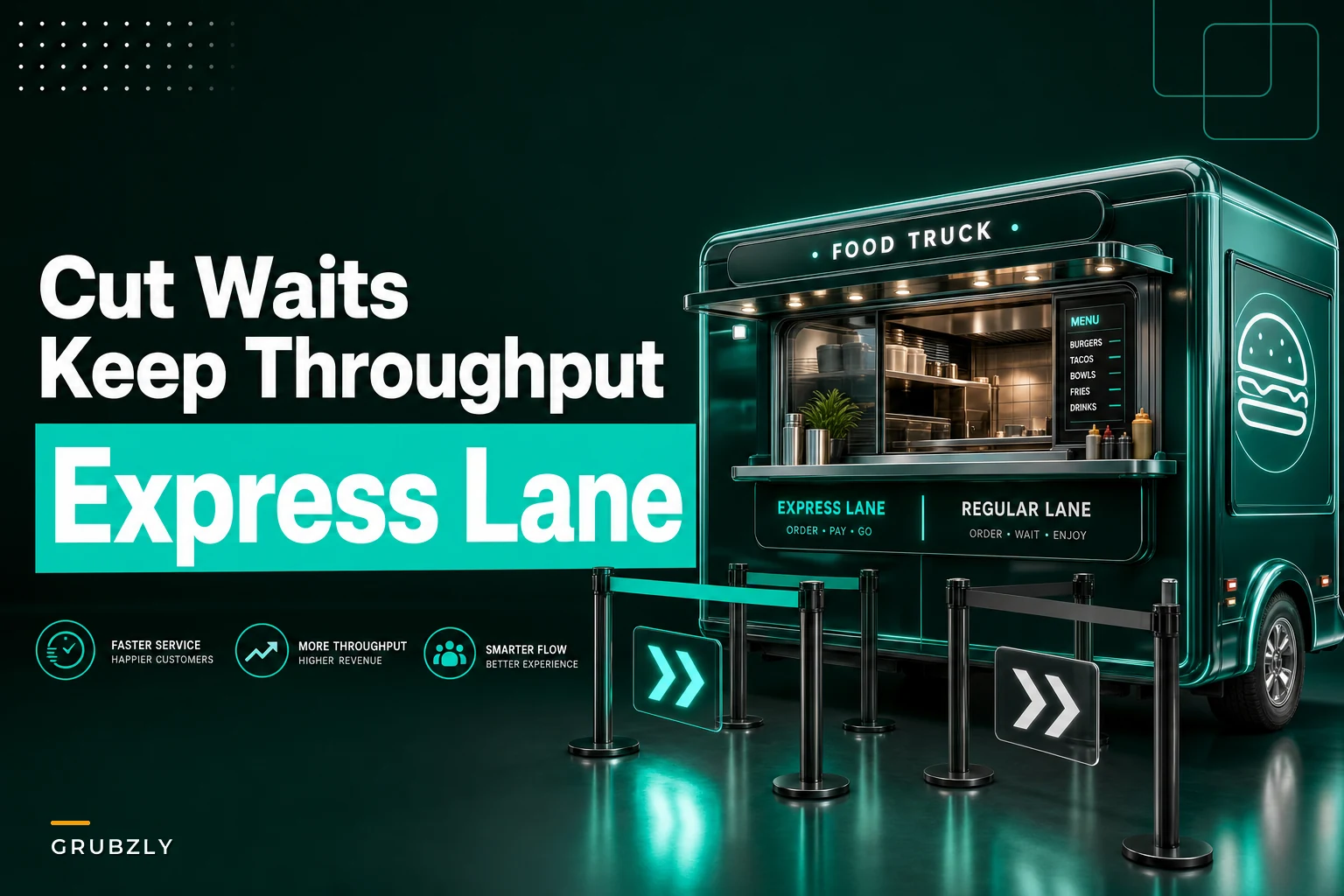
Start with the simplest fix: visual separation. You don't need a second window or expensive equipment. A $30 A-frame sign that says "EXPRESS PICKUP" with an arrow pointing to the left side of your window immediately creates two psychological lanes. Add some retractable belt barriers from a restaurant supply store (around $45 each) and you've got physical lanes for under $150.
Stop losing sales to poor planning.
Grubzly helps you plan routes, track inventory, and maximize daily sales effortlessly.
- Real-time route optimization
- Inventory tracking & alerts
- Mobile sales & reporting
No credit card required
Window signage matters more than most operators realize. Instead of one menu board, split your window into zones. Left side: "PICKUP ONLY - Mobile Orders & Prepaid" with a QR code and pickup instructions. Right side: your full menu for new orders. That visual cue alone can cut confusion significantly.
Put the express menu board at eye level about 10 feet before the window so people can decide while waiting.
Look at your counter space too. Most trucks have a small ledge where completed orders get placed. Divide it into labeled sections using tape or vinyl markers—"A-H," "I-P," "Q-Z" by customer name, or simply "Mobile Orders" vs "Window Orders." This prevents the scramble of customers reaching over each other trying to spot their food.
The express menu board is another near-zero-cost win. Create a small separate menu with your 5-6 most popular items that need minimal customization. "Classic Taco - $4" not "Build Your Own Taco - Starting at $4." Price these slightly lower than custom options to incentivize speed, and mount this board at eye level about 10 feet before customers reach the window so they can decide while waiting.
Choreographing roles during peak times
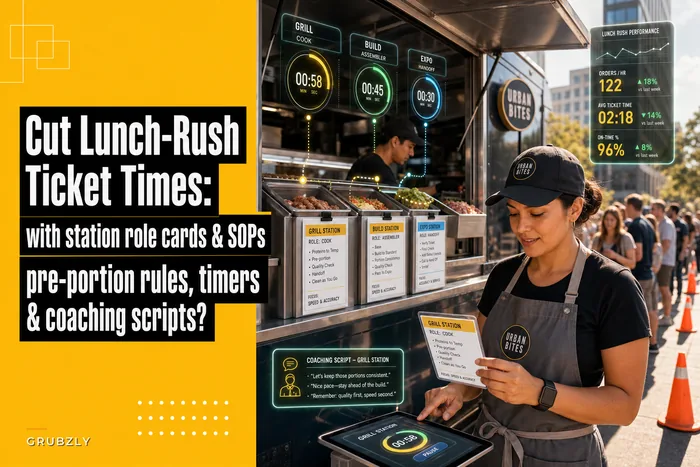
Role confusion kills efficiency faster than almost anything else. When your team doesn't know exactly who handles what, you get duplicate efforts, dropped tasks, and frustrated staff bumping into each other in an already cramped space.
Start with the Express Captain role. This person owns everything related to prepaid and mobile orders from 11:45am to 1:15pm (adjust for your peak). They stand at the express side of the window, check names against a list, hand out orders, and never take new orders. Their only job is throughput for completed purchases. The role can rotate daily, but during peak hours it's sacred.
Your Order Taker stays on the right side handling new walk-up orders—but here's the important part. During rush, they're also the upsell preventer. No "would you like to add..." questions. No detailed ingredient explanations unless specifically asked. Their job is to capture orders fast and accurately, not maximize ticket size during peak.
A simple visual of role responsibilities helps teams hit their marks.
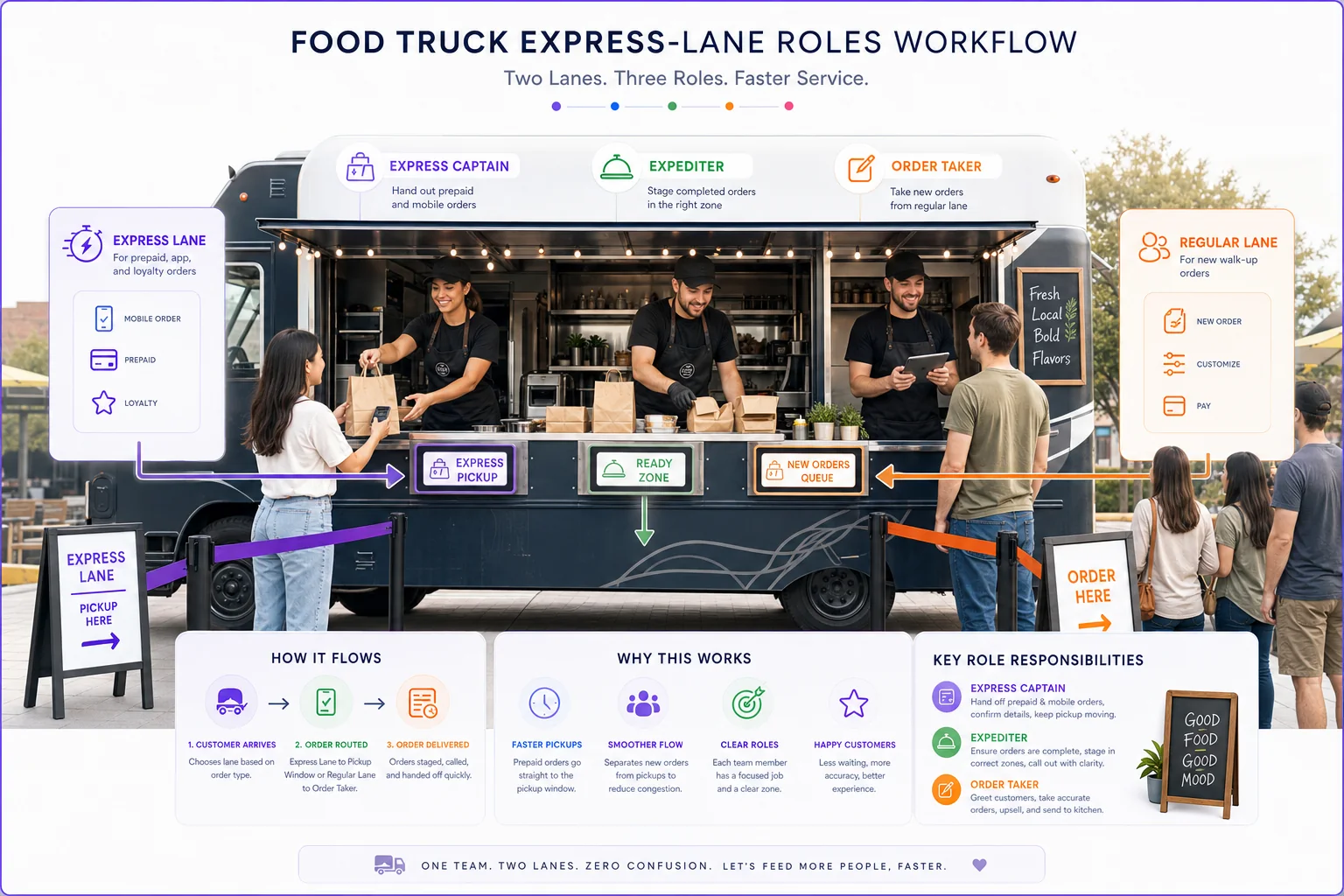
The Expediter role often gets skipped on food trucks because of space. But someone needs to own the handoff process—staging completed orders in the right zones, calling out names or numbers clearly, and keeping the Express Captain and Order Taker informed about what's ready. Without clear expediting, food sits while customers wait, even when the order is done.
Most importantly, everyone needs to understand transition triggers. When do you switch from regular service to express-lane mode? What's the signal to return to normal operations? These can't be judgment calls during service—they need to be predetermined based on queue length, time of day, or order volume.
Measuring what actually matters
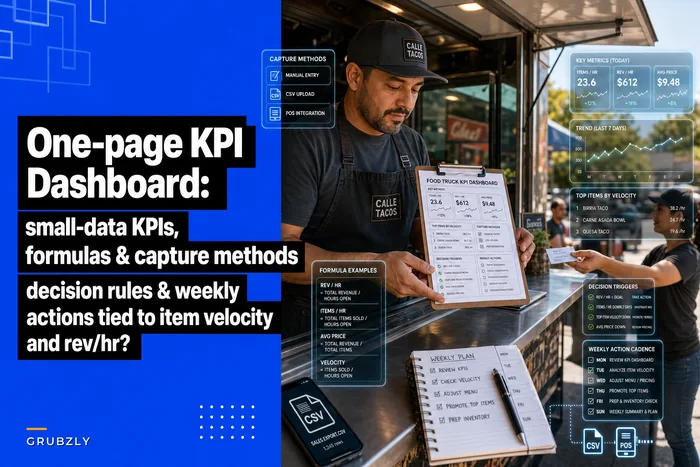
Traditional KPI dashboards for food trucks focus on daily sales and food costs. For queue optimization, you need different numbers that actually tell you if your express lane system is working.
Queue-to-Order Time: How long from joining the line to placing an order? Measure separately for express vs regular lanes. Target under 2 minutes for express, under 5 for regular during peak. A simple timestamp sheet works fine—mark when someone joins and when they reach the window.
Order-to-Fulfillment Time: From order placement to food in hand. This should be relatively stable regardless of lane type, usually somewhere in the 4-7 minute range depending on menu complexity. If express lane orders take just as long to fulfill as regular orders, your kitchen flow needs attention, not your queue system.
Balk Rate: Count people who approach but leave without ordering. Have someone tally this during a few peak periods. Anything over 20% suggests your perceived wait time is too long. This is where express lanes really pay off—seeing movement in multiple lines reduces balking even if total capacity hasn't changed.
Lane Distribution: What percentage use express vs regular? Under 30% using express during peak might mean your signage or incentives need work. Over 60% using express could mean you should expand express menu options.
Track these before and after implementing changes. A clipboard with timestamp columns works fine—you don't need fancy software. Run a baseline week, implement changes, measure again. Most trucks see a meaningful jump in total customers served during peak hours just from better queue management.
A clipboard with timestamp columns works fine—you don't need fancy software. Run a baseline week, implement changes, measure again. Most trucks see a meaningful jump in total customers served during peak hours just from better queue management.
When express lanes hurt more than help
Not every food truck benefits from split queue systems. If your menu is highly customizable with no true standard items, express lanes just create confusion. Build-your-own-bowl concepts where every order is unique don't have a meaningful express option.
Location matters too. Food trucks at office parks with repeat daily customers work well with express lanes because regulars learn the system. Trucks at festivals or tourist spots with mostly one-time customers might find the added complexity works against them. People need time to understand a two-lane system, and if they'll never return, that learning curve isn't worth it.
Your physical setup might also prevent effective lane splitting. Some trucks have windows too small to meaningfully divide, or generator noise makes cross-zone communication difficult. If customers can't clearly see or hear which lane to use, you'll create more chaos than you fix.
Volume thresholds matter too. If you rarely have more than 5-6 people in line, express lanes add unnecessary overhead. The complexity of explaining the system and managing two flows only pays off when you're regularly dealing with genuine crowding. That's why many trucks only activate express lanes during predicted rush periods rather than running them all day.
Setting up before and after measurement templates
Here's a practical measurement framework that actually tells you whether your changes are working:
Week 1 - Baseline Capture
-
Monday through Friday, 11
30am-1:30pm
-
Track
Total customers served, average wait time, balk count, staff stress level (1-10)
-
Note
Weather, nearby events, anything unusual
Week 2 - Soft Implementation
-
Add signage and physical lane markers
-
Don't change roles yet—just see if visual cues alone help
-
Track same metrics as Week 1
-
Note customer confusion points and questions
Week 3 - Full Implementation
-
Activate role assignments
-
Run express lane with dedicated staff
-
Track same metrics plus lane distribution
-
Note operational friction points
Week 4 - Optimization
-
Adjust based on Week 3 learnings
-
Fine-tune triggers and transitions
-
Track all metrics
-
Calculate improvement percentages
| Time Slot | Customers Served | Avg Wait | Balks | Express % | Notes |
|---|---|---|---|---|---|
| 11:30-12:00 | 18 | 4.5 min | 2 | 35% | Smooth flow |
| 12:00-12:30 | 31 | 7 min | 5 | 45% | Bottleneck at register |
| 12:30-1:00 | 28 | 6 min | 3 | 50% | Express lane working well |
| 1:00-1:30 | 15 | 3 min | 0 | 20% | Natural slowdown |
The measurement template itself can be dead simple:
Real-world implementation story
Consider Taco Libre, a truck operating near a tech campus in Austin. They were maxing out around 85 orders during their 90-minute lunch rush, with consistent complaints about wait times despite having solid kitchen workflows and station roles.
They went with a three-zone approach: mobile pickup on the left, express menu in the center, full menu on the right. The express menu had just six items—their most popular tacos with standard toppings, no modifications allowed, priced 50 cents less than custom versions.
Physical changes ran about $180 total: two barrier posts, an A-frame sign, and vinyl lettering for window zones. They assigned their most experienced team member as Express Captain during peak, handling both mobile pickups and express orders.
The first week was rough. Customers didn't understand the lanes, staff forgot their roles, and they actually served fewer orders than before—closer to 75 per lunch rush. But they stuck with it, made small adjustments, and improved the signage explaining the system.
By week three, they were consistently hitting 110-115 orders in the same 90-minute window. Mobile order adoption jumped from 20% to around 45% as customers realized they could skip the main line entirely. The express lane handled another 25% of orders, meaning only about 30% of customers needed full-service attention.
Average wait time dropped from 11 minutes to roughly 6 for express and mobile customers. Full-service customers still waited about 10 minutes—but now they were choosing that experience for customization, not stuck in it by default.
Digital tools that amplify physical changes
Physical queue management gives you immediate improvement. Adding the right digital layer can multiply those gains. The key is choosing tools that work with your express lane concept, not against it.
Mobile ordering becomes a lot more powerful when paired with a dedicated pickup lane. Instead of just a convenience, it becomes a visible speed advantage. Make sure your platform can handle time slots—letting 50 orders pile in for 12:15 pickup creates a different kind of bottleneck. Spread arrivals across 10-minute windows.
Display screens seem fancy but serve a practical purpose for express lanes. A simple tablet showing order numbers or names ready for pickup eliminates shouting and window crowding. Customers can check their status without hovering. You can use any spare tablet with a Google Sheet or basic display app—this doesn't need to be high-tech.
SMS notifications work better than apps for pickup alerts. "Your order is ready at the EXPRESS WINDOW (left side)" gets people moving to the right place. Include the window designation in every message to reinforce the lane system.
Operational software can track lane metrics automatically instead of relying on clipboard tallies. When orders flow through a central system, you can tag them as express, mobile, or full-service and analyze patterns over time. This surfaces things like which days drive express demand or which time slots cause the system to break down—information that actually helps you adjust staffing and lane activation times based on real patterns rather than gut feel.
The goal isn't to digitize everything. It's to use technology where it genuinely reduces friction in your physical queue system. Every digital addition should make your express lanes work better, not add a new layer of complexity.
Making express lanes stick long-term
Create written triggers for lane activation. "When 8+ people in line, activate express lane" removes the decision fatigue during busy periods. Post these triggers where staff can see them. Make the transitions automatic, not discretionary.
Build express lane performance into your team feedback loops. If someone excels as Express Captain, recognize it. If express lane times start slipping, address it quickly. The system only holds up if everyone executes consistently and believes it's worth executing.
Adjust your menu engineering to support the express concept over time. Gradually optimize express menu items for speed—pre-portioned proteins, standard topping combinations, packaging that closes faster. Small improvements compound.
Don't be afraid to iterate. Your first express menu might have too many options. Your signage might confuse people. Your role assignments might create friction. Plan monthly reviews where you adjust based on what you're seeing in the data and hearing from customers.
Customer education never really ends. Regulars will learn your system, but there will always be newcomers. Keep signage clear, have staff ready with quick explanations, and consider a small incentive for first-time express lane users to encourage trial.
The express lane system isn't just about serving more customers—it's about serving the right customers the right way. Some want speed, some want customization, some ordered ahead. When you give each group what they actually need instead of forcing everyone through the same process, you unlock capacity you didn't know you had.
Most trucks can add 20-30 customers per lunch rush just from basic queue separation. That's roughly $200-300 in additional daily revenue from changes that cost less than $200 total. The math is pretty clear.
Stop trying to cook faster. Start managing flow better. Your kitchen probably isn't the bottleneck—your single queue is.
Ready to drive your food truck business forward?
Join 2,000+ food truck operators relying on Grubzly to boost efficiency, increase sales, and delight customers.