

The double-booked commissary is one of those problems nobody notices until it costs you. Two operators show up at 5:45 AM, both expecting the flat-top and the walk-in staging area. One has 40 pounds of pork shoulder that needed to hit the smoker an hour ago. The other has a catering order for 200 that ships at 9. Neither of them budged when they booked the slot, because the commissary calendar was a shared Google Sheet where anyone could type their name anywhere.
That's the whole problem: most shared commissaries schedule space, not work. And prep work doesn't happen in tidy one-hour boxes. It spills. It collides. Somebody's braise ties up the range for three hours while three other operators stack up behind them.
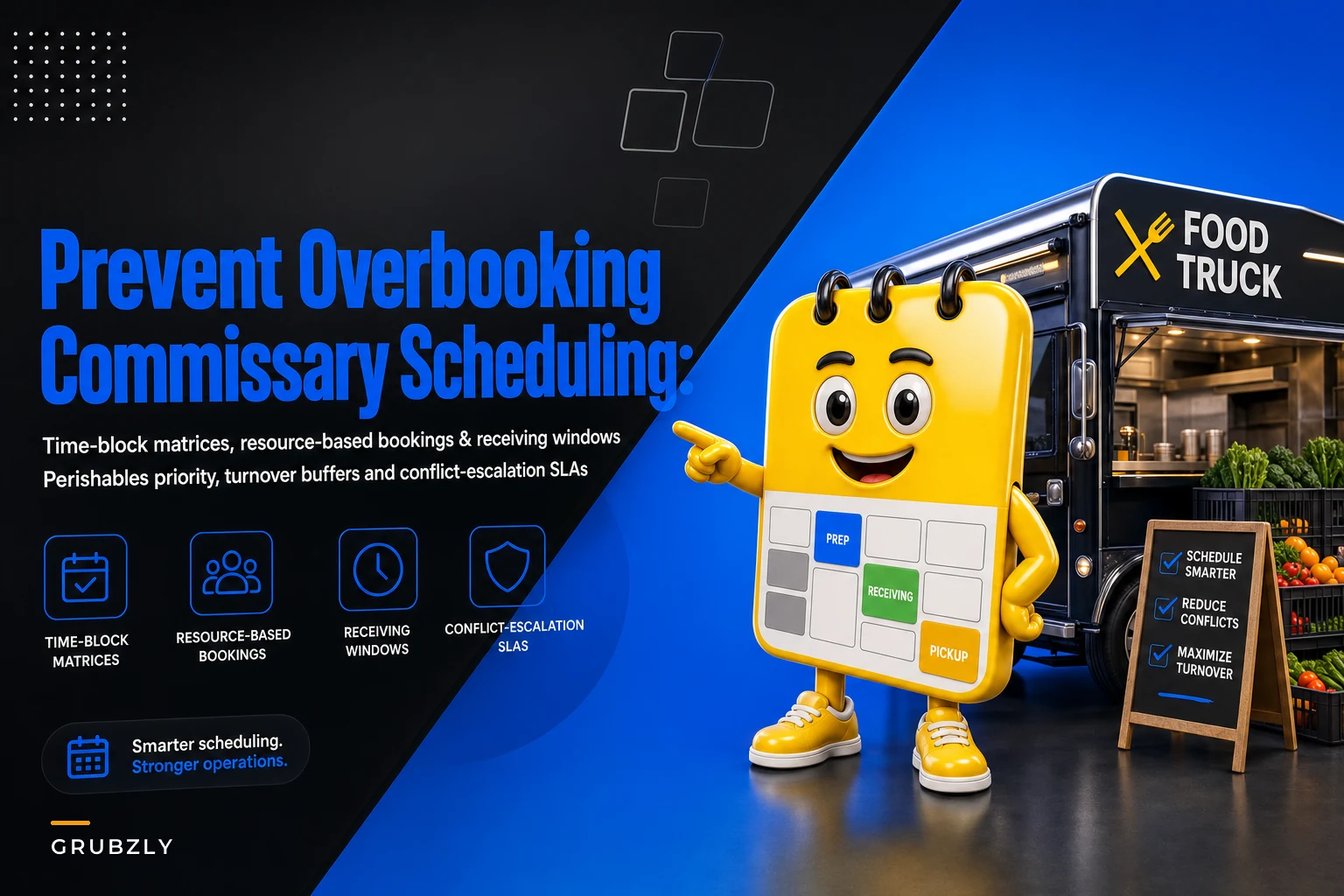
This piece is about the scheduling logic underneath a functioning multi-tenant commissary — the time-block matrix, the priority rules, the receiving windows, and the escalation path when two people genuinely need the same thing at the same time. Not the software. The rules. If the rules are wrong, no calendar tool saves you.
Why shared commissaries jam up (it's not the calendar)
The calendar gets blamed, but the calendar is downstream of the real issue: there's no shared definition of what a "slot" actually reserves.
When one operator books 6–8 AM, does that mean they own the flat-top? The 3-compartment sink? The walk-in door? Loading dock access for their delivery? In most commissaries, nobody agreed on that, so everyone assumes they got everything they need and discovers otherwise at 6:05.
-
Slots reserve time but not equipment. Two trucks "booked" the same window and both assumed the range was theirs.
-
Receiving isn't scheduled at all. Vendor trucks and operator prep collide in the same dock and the same fridge space with no window rules.
-
Perishables get no priority. The operator who booked first ties up the walk-in with dry-goods staging while someone's fish sits on a hot dock.
-
No escalation path. When there's a genuine conflict, it turns into a shouting match or a text to the commissary owner who's asleep.
The fix isn't a fancier calendar. It's a time-block matrix that assigns time and resource, plus a short set of priority rules everyone agreed to before they ever collide.
The core idea: block time AND resource, not just time
A workable commissary schedule tracks two axes at once — the time block and the specific shared resource inside that block. The range, the walk-in staging bay, the loading dock, the sink line. When you separate these, two operators can use the space simultaneously without stepping on each other, because they've reserved different resources.
Stop losing sales to poor planning.
Grubzly helps you plan routes, track inventory, and maximize daily sales effortlessly.
- Real-time route optimization
- Inventory tracking & alerts
- Mobile sales & reporting
No credit card required
Here's a simplified matrix for a commissary serving six trucks, running 4 AM to 2 PM:
| Time Block | Range/Flat-top | Walk-in Staging Bay | Loading Dock | 3-Comp Sink |
|---|---|---|---|---|
| 4:00–6:00 | Truck A (smoke/braise) | Truck C | Vendor receiving | Truck E |
| 6:00–8:00 | Truck B | Truck A (pull/portion) | Truck B load-out | Truck C |
| 8:00–10:00 | Truck C | Truck D | Vendor receiving | Truck A |
| 10:00–12:00 | Truck D | Truck E | Truck D load-out | Truck B |
| 12:00–2:00 | Cleaning/turnover | Truck F | Truck E/F load-out | Cleaning |
The point isn't this exact grid — it's that at 6:00 AM, Truck A isn't fighting Truck B for the range, because A booked the walk-in staging bay to portion what it braised earlier, while B took the range. Same clock, different resource. No collision.
Two things this design forces you to be honest about:
Long tasks get long blocks. A braise or smoke that runs three hours can't hide inside a one-hour slot. If your matrix pretends otherwise, it blows up the next two blocks.
Turnover time is a block, not an afterthought. Cleaning and sanitation between heavy users needs its own square on the grid, or the next operator inherits a dirty station and their prep starts late.
Visual workflow of booking and resource allocation:
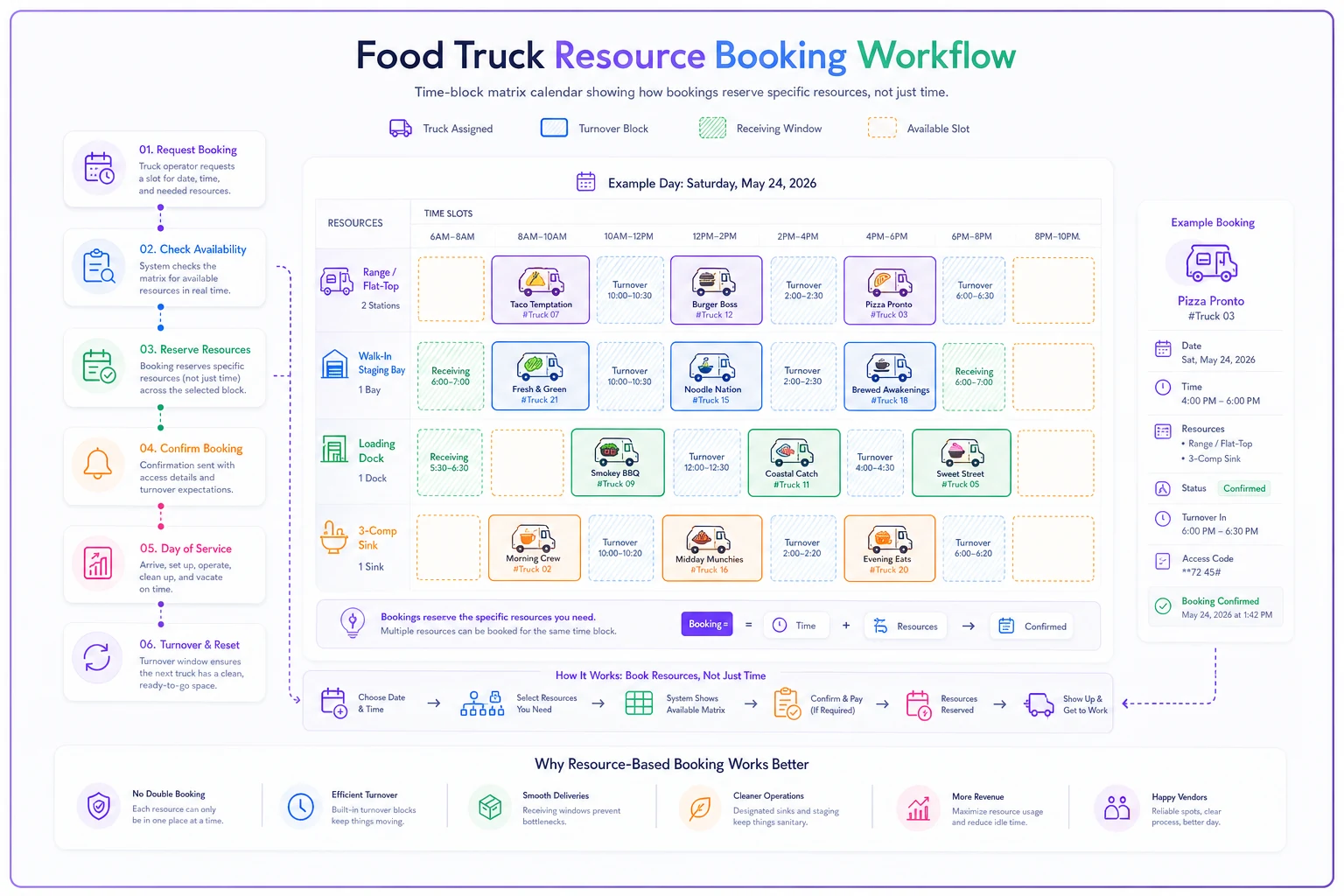
This diagram shows how blocking by resource prevents collisions even when time overlaps.
Perishables priority: the one rule that prevents the worst fights
If you only adopt one priority rule, make it this: temperature-sensitive product outranks everything.
The logic is simple. Dry goods can wait on a rack for an hour with zero consequence. Fish, raw poultry, dairy, cut produce — every minute in the danger zone is money and a food-safety liability. So when two operators want the same walk-in access or the same dock, the one moving perishables goes first. Always. It's not about who booked earlier; it's about what's on the truck.
Write it into the commissary rules explicitly, because people forget it in the moment:
-
Perishable receiving and staging always takes priority over dry-goods handling.
-
A perishable-priority claim requires proof — the operator naming the priority has to actually have temp-sensitive product ready (invoice, a visible delivery, a labeled bin). This stops people from crying "perishables!" to jump the line for convenience.
-
The bumped operator gets first claim on the next open block for that resource. Priority isn't a punishment for the person who yields — they get made whole.
The proof requirement matters more than it sounds. The first time you let a "perishable" claim go unverified, someone uses it to skip the queue with a case of canned tomatoes, and the whole rule loses its teeth.
Receiving windows: stop vendor trucks from eating your prep time
The receiving side is where most collisions actually start, and it's the part commissaries schedule the least. A produce delivery rolling in at 7:15 AM ties up the loading dock and a chunk of walk-in space right when three operators are trying to load out.
Fix it by defining fixed receiving windows that don't overlap with peak load-out. In the matrix above, vendor receiving lives in the 4–6 and 8–10 blocks — deliberately off the 6–8 load-out crunch. Then you push those windows onto your vendors, which ties directly into your delivery SLAs. If you've already built vendor agreements around delivery reliability — the kind covered in commissary procurement systems that prevent last-minute substitutions — the receiving window becomes one more line item in that same SLA.
A labeled receiving template keeps the handoff clean when the operator receiving the delivery isn't the one who ordered it, which is common in a shared kitchen. Every incoming delivery gets tagged:
-
Operator/truck name the delivery belongs to
-
Received time (timestamped)
-
Temp check on perishables — pass/fail, actual reading noted
-
Designated storage location (which shelf, which bin, which walk-in zone)
-
Received-by initials
-
Discrepancy flag — short/damaged/wrong item, yes or no
Include the labeled receiving template in vendor-facing documents so drivers know how to present deliveries and speed the handoff.
That last field prevents the slow-motion argument two days later when someone's short six cases and nobody wrote down what actually showed up. Labeling at receiving also feeds cleanly into how product moves from the commissary to the truck — the same labeling discipline in the commissary-to-truck transfer checklist starts here, at the dock.
A vendor SLA clause for capacity allocation
Your vendor SLA usually covers price, substitutions, and delivery reliability. Add a short capacity-and-window clause so deliveries stop colliding with prep:
> Delivery window: Vendor agrees to deliver within the commissary receiving window of [4:00–6:00 AM] or [8:00–10:00 AM]. Deliveries outside these windows may be refused or held at the dock without walk-in access until the next open receiving block. > > Dock time cap: Vendor unload not to exceed [20 minutes] of dock occupancy. Deliveries requiring longer must be scheduled to the 4:00–6:00 block. > > Temp compliance: Perishables delivered above [required temp] will be flagged on the receiving template and are subject to rejection.
The window clause is the one that actually changes behavior. Vendors who know they'll get turned away learn to hit the window. Vendors who face no consequence keep showing up at 7:15.
Conflict escalation: what happens when two people are both right
Sometimes two operators genuinely need the same resource and both have legitimate claims. You need a decision path that resolves it in under two minutes without waking the owner.
A simple escalation ladder:
-
Check priority rules first. Perishables outranks dry goods. If one side has temp-sensitive product and the other doesn't, it's decided. Done.
-
If both are perishable, earlier booking wins, and the bumped operator takes the next open block for that resource.
-
If neither will yield, the on-site lead — a rotating role, or the commissary manager — makes the call using the matrix as reference. Their decision is final for that morning.
-
Log the conflict — who, what resource, how it resolved. Two or three logged conflicts in the same time block is a signal the matrix itself is wrong and needs a re-cut, not a signal that people are difficult.
That last step is the one everyone skips. Recurring conflicts aren't personality problems — they're a scheduling design problem telling you a block is oversubscribed. If Truck B and Truck D fight over the range every Tuesday at 6, move one of them. Stop refereeing.
A short pre-open receiving checklist operators can adopt
Post this at the dock. Ten seconds a delivery, and it kills most of the downstream arguments:
-
[ ] Delivery matches a truck name — labeled and logged
-
[ ] Arrived inside the assigned receiving window
-
[ ] Perishables temp-checked and reading recorded
-
[ ] Product moved to its designated storage zone (not blocking the dock)
-
[ ] Discrepancies flagged and photographed if short/damaged
-
[ ] Dock cleared before the next block starts
This checklist works because it's short enough that someone actually uses it at 5 AM. Anything longer than six items gets skipped when the dock is busy.
Real scenario: a six-truck commissary that stopped losing mornings
A shared commissary running six trucks was averaging three or four blow-up conflicts a week — usually the 6 AM range crunch and dock congestion from off-window deliveries. Two operators had threatened to leave. On a bad morning, someone's prep started 45–60 minutes late, which cascaded into a delayed first stop.
They didn't buy anything. They re-cut the schedule into a resource-based matrix, set two fixed receiving windows off the load-out peak, wrote the perishables-priority rule with the proof requirement, and added a one-line conflict log. Within about three weeks, logged conflicts dropped to under one a week, and most of those resolved at step one of the escalation ladder without anyone escalating further. The off-window deliveries mostly stopped once vendors got turned away twice. Nobody left. The commissary owner said the biggest change wasn't fewer fights — it was that the ones that did happen resolved themselves in a couple minutes instead of pulling him out of bed.
When this makes sense — and when it's overkill
Adopt the full matrix when you're running four or more trucks through shared equipment, or when you've got a range or smoker bottleneck that multiple operators fight over. The more shared, contended resources you have, the more the resource-axis approach pays off.
Keep it light if you're a two- or three-truck commissary with plenty of slack. A full multi-resource grid is more overhead than you need — a simple time block with a written perishables rule and one receiving window will hold.
This is a bad fit if operators can't agree to the priority rules upfront. The matrix only works because everyone accepted, before any collision, that perishables win and that the conflict ladder is final. If people won't sign onto the rules, you're just formatting the argument, not ending it.
Once the rules and matrix are solid, moving them off a shared spreadsheet into a scheduling tool that enforces resource-level blocking and logs conflicts automatically is a reasonable next step — but the tool only enforces decisions you already made. Get the priority rules and receiving windows right first. The scheduling logic is what prevents the collisions. The software just keeps everyone honest about it.
Ready to drive your food truck business forward?
Join 2,000+ food truck operators relying on Grubzly to boost efficiency, increase sales, and delight customers.