

Most food truck labor problems don't show up on the schedule. They show up at 12:40pm when three people are standing behind the pass with nothing to do, or at 7:15pm during a brewery stop when one person is drowning and the line is 14 deep. Same crew size on paper. Completely different reality on the ground.
Nobody tells you when you start scheduling that "two people" or "three people" is a garbage unit of measurement. A three-person crew at a slow office park lunch and a three-person crew at a Friday night festival are not the same operation. They're barely the same job. And when you schedule by headcount instead of by what the shift actually demands, you either overpay for idle hands or you torch your ticket times and your reviews.
This is about building a food truck shift staffing model that maps to three things you can actually measure: how fast tickets come in, how complex your menu is that day, and what type of stop you're running. Get those three inputs right and rota-building stops being a guessing game.
Why headcount-based scheduling quietly bleeds money
There's a pattern that comes up constantly: an operator books a lunch stop, remembers it was busy last time, schedules three people, and then two of them spend half the shift wiping counters and checking their phones. Labor for that block runs maybe $180–$220 depending on your market. Sales come in around $900. That's fine on paper—labor's sitting in the low 20s as a percentage—but you're carrying dead weight for a stop that a tight two-person crew could've handled without breaking a sweat.
Flip it. Same operator books a Saturday brewery night, assumes it'll run like a weekday, schedules two. The truck gets slammed from 6 to 8. Ticket times blow out to 18–20 minutes. People walk. You probably left $400–$600 on the table and picked up a couple of one-star reviews about the wait.
Both of those are the same mistake. The schedule was built on a memory of "busy" or "slow" instead of on the actual mechanics of what makes a stop hard to staff. Busy isn't one thing. A stop can be busy with orders that take 40 seconds each, or busy with orders that each need six components assembled to order. Those require completely different crews even at identical sales volume.
The three inputs that actually drive crew size
Ticket velocity. Orders per hour during your peak window, not the whole shift. A stop that does 60 tickets spread evenly over four hours is a different animal than one that does 60 tickets crammed into a 45-minute lunch crush. Peak velocity is what breaks your line, so that's the number that sizes your crew.
Stop losing sales to poor planning.
Grubzly helps you plan routes, track inventory, and maximize daily sales effortlessly.
- Real-time route optimization
- Inventory tracking & alerts
- Mobile sales & reporting
No credit card required
Menu complexity. How many touches does the average ticket require? A single-item taco order with two static toppings might be one assembly touch. A build-your-own bowl with proteins, bases, four topping choices, and a sauce is five or six touches plus decision time at the register. Complexity multiplies your effective ticket time even when velocity stays flat.
Stop type. Office park lunch, brewery night, festival, private event, late-night bar crowd—each has a different arrival pattern and payment rhythm. A festival is a firehose of walk-ups. An office lunch is a compressed spike then nothing. A brewery is long and lumpy. The shape of demand matters as much as the size.
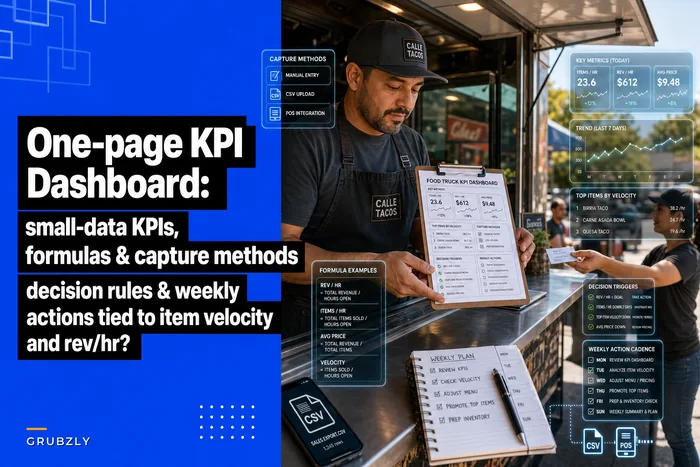
If you're already tracking numbers weekly, this slots right into the same habit—here's the one-page KPI dashboard for food trucks approach that makes logging these three inputs feel routine instead of like extra homework.
Building the shift-sizing matrix
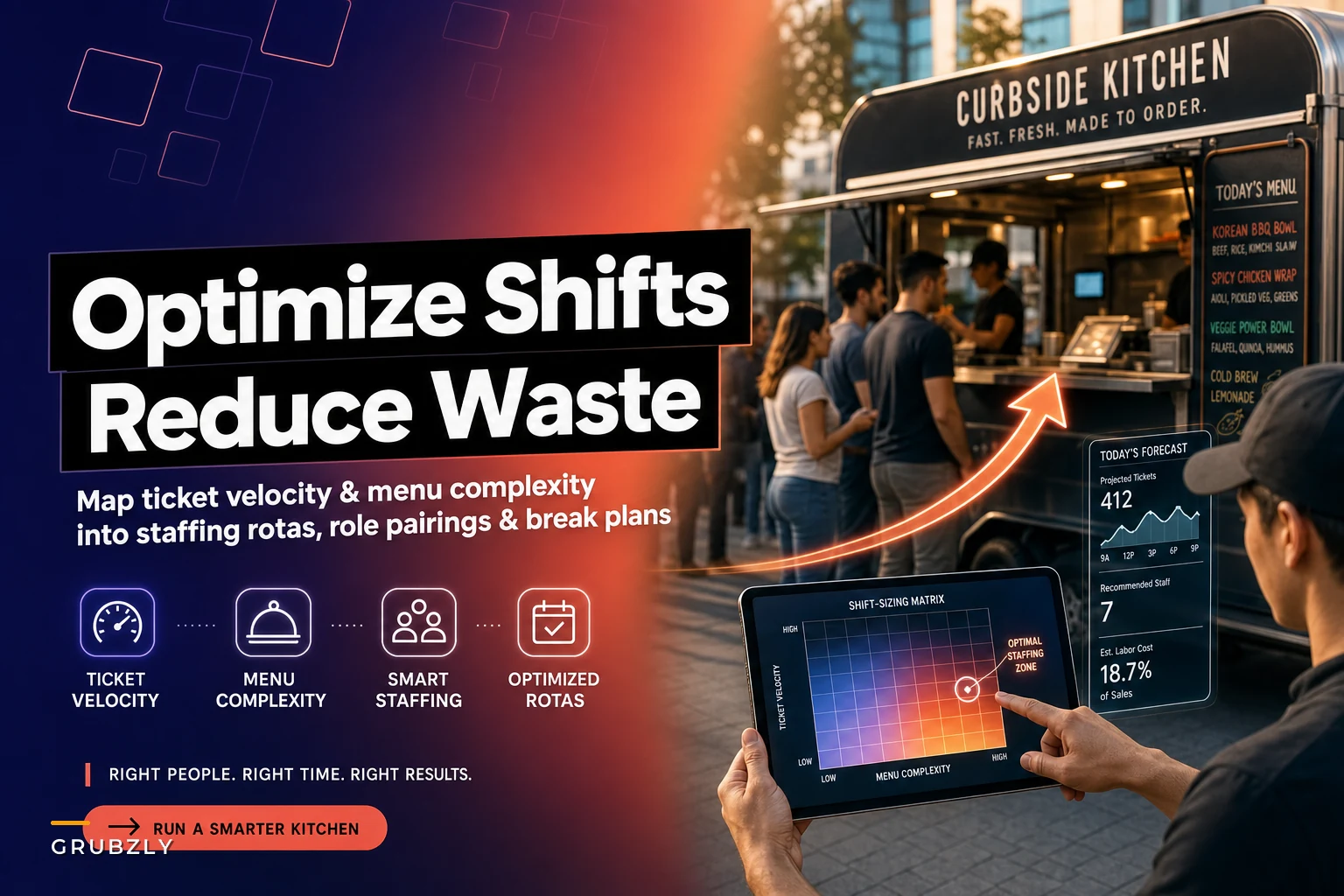
The matrix is just a lookup table. You cross ticket velocity against menu complexity, then adjust for stop type. Nothing fancy—the value is in having a rule instead of a vibe.
Start by scoring menu complexity into three tiers for any given day's menu:
-
Simple (1–2 touches per ticket) limited menu, mostly pre-portioned, minimal customization
-
Moderate (3–4 touches) some builds, a couple of made-to-order items, moderate register decisions
-
Complex (5+ touches) full customization, multiple components assembled live, slow register interactions
Then use peak-hour ticket velocity as your other axis. Here's a working baseline matrix. These are starting points—your actual assembly speed will shift them, but this is the general shape:
| Peak velocity (tickets/hr) | Simple menu | Moderate menu | Complex menu |
|---|---|---|---|
| Under 25 | 2 | 2 | 3 |
| 25–45 | 2 | 3 | 3 |
| 45–70 | 3 | 3 | 4 |
| 70–100 | 3 | 4 | 4–5 |
| 100+ | 4 | 4–5 | 5+ |
Now layer stop type as a modifier:
-
Festival / high walk-up add 1 to whatever the matrix says—the arrival rate is spikier and you need cash/POS redundancy
-
Brewery / long lumpy service stick with the matrix number but plan for staggered starts, since the load isn't even
-
Office lunch matrix number is usually right, but the spike is so compressed that role pairing matters more than raw count
-
Private event you already have a headcount, so run off a per-guest ticket estimate instead of velocity
Worth flagging: the matrix tops out its usefulness around four or five people. Physical space caps you. If it's telling you to put six people in a 16-foot truck, the real answer isn't more bodies—it's a second service point, a runner outside the truck, or splitting the menu.
The matrix gives you a starting point. What makes it actually useful over time is calibrating it to your specific truck—your assembly speed, your POS setup, how your crew communicates under pressure. Run it for a few weeks and you'll know where to nudge the numbers.
Role pairings matter more than raw headcount
Three people who each do a little of everything will lose to two people with locked roles almost every time. The matrix tells you how many; pairings tell you what they do.
-
Register + expediter. One person owns the money and the order flow, calls tickets, and hands off. This is the single highest-leverage role because a jammed register backs up everything behind it.
-
Primary cook + assembler. The cook owns the heat; the assembler owns the finish and the handoff to the window. Splitting these two prevents the classic bottleneck where your best cook is also plating and falling behind.
-
Floater / runner (only on 4+ crews). Restocks, refills, handles the payment overflow, jumps to whatever's clogged. On a festival this person is your pressure valve.
The mistake that keeps showing up is a three-person crew where everyone shares the register. It feels efficient—more hands on money during the rush—but it creates collisions and dropped tickets because nobody owns the sequence. Lock the register to one person and let the other two run the line.
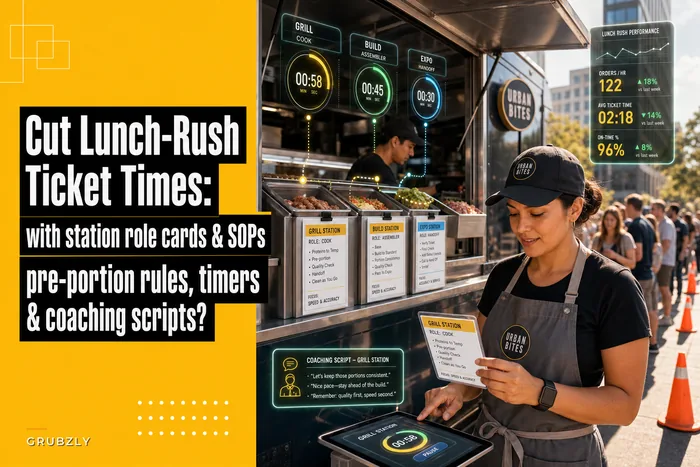
If you want the deeper mechanics on splitting stations and shaving time off the crush, the breakdown in cut lunch-rush ticket times with station role cards pairs directly with this—the matrix sizes the crew, the role cards make the crew fast.
Break planning without breaking the line
Breaks are where good rotas quietly fall apart. Operators size the crew perfectly for peak, then send someone on break right as the rush hits because that's when the schedule said to. Suddenly your four-person festival crew is a three-person crew during the exact 30 minutes it can least afford it.
The rule is simple: breaks go in the valleys, never the peaks. Map your demand shape first, then slot breaks into the troughs.
For an office lunch that spikes 11:45–12:45, breaks happen before 11:30 or after 1:15. For a brewery night that builds slowly and peaks 7–8:30, breaks land in the early lull around 5:30–6:15. For a festival that's relentless for six hours straight, you rotate short staggered breaks one person at a time and build the crew one bigger specifically so you can afford to have someone out.
On long shifts, tie the break rotation to the floater role so the floater covers whoever steps out.
On long shifts, tie the break rotation to the floater role. The floater covers whoever steps out, which means you never drop below your effective crew count. Only works on 4+ person setups, but it's the cleanest way to run breaks without losing momentum during a marathon shift.
From forecast to roster: the simple rules
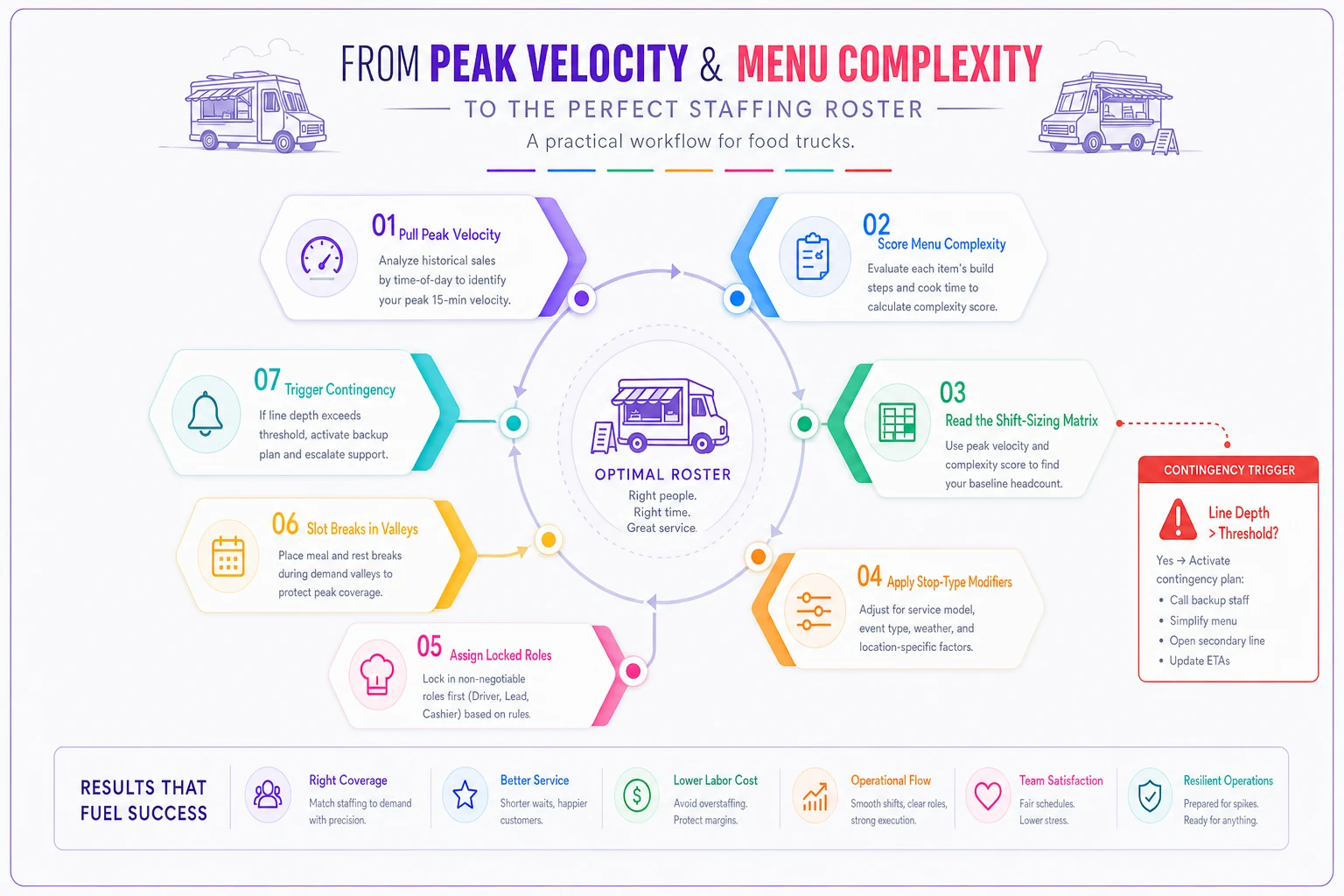
You don't need a forecasting engine. You need a handful of rules that turn last week's data into next week's rota. Here's the actual sequence:
-
Pull peak velocity for each recurring stop from your last 2–3 visits. Use the busiest single hour, not the average.
-
Score the menu you're running that day as simple, moderate, or complex.
-
Read the matrix to get your base crew number.
-
Apply the stop-type modifier (add one for festivals, etc.).
-
Assign locked roles using the pairings above, based on the final count.
-
Slot breaks into the demand valleys you already know from the stop's shape.
-
Set a trigger rule for surprises if the line hits X deep for more than 10 minutes and you're on your base crew, that's your signal to open a second payment point or pull someone off prep and onto the line.
That last one matters because forecasts are wrong sometimes, and the roster needs a built-in reaction, not just a plan. A weather-perfect Saturday can double your usual velocity. Your rota should know what to do when that happens instead of just falling apart.
Logging peak velocity per stop by hand across a dozen recurring locations is the part everyone abandons after two weeks. An operational platform that pulls ticket timestamps automatically from your POS and rolls them into a per-stop velocity history means step one takes zero effort. Same with flagging when a shift consistently ran over or under crew—those patterns surface on their own instead of living in your head. The matrix logic is yours; the tedious data collection is what's worth automating.
A simple visual of this sequence helps communicate it to your team.
The matrix logic is yours; the tedious data collection is what's worth automating.
When this model makes sense—and when it doesn't
This makes sense when you run recurring stops, your sales swing hard between locations, or you've got a crew of three-plus and payroll is one of your top two costs. If you're bleeding money on either idle labor or blown ticket times, the matrix pays for itself fast.
This is overkill when you're a one or two person operation running the same single stop every day. You already know that shift cold. Building a matrix for one predictable location is process for the sake of process—skip it.
Who should not lean on this: operators whose menu changes so drastically day to day that "complexity" is a moving target you can't score consistently. If your menu is genuinely different every service, fix the menu discipline first. A matrix built on inputs you can't measure reliably will give you confident wrong answers, which is worse than a gut call.
A real scenario
A two-truck taco operation running four recurring stops a week—two office lunches, a brewery Friday, and a Saturday farmers market. They'd been scheduling three people on every stop out of habit. Labor was sitting around 31–33% of sales, which was eating most of their margin.
They logged peak velocity for about a month. The office lunches were doing 30–40 tickets in the peak hour on a simple menu—clean two-person stops per the matrix. The brewery Friday was hitting 80+ tickets with a moderate menu because they ran a build-your-own special there—a genuine four-person stop they'd been understaffing at three, which explained the recurring Friday complaints about wait times.
They dropped the office lunches to two people, bumped the brewery to four, kept the market at three. Net labor barely changed on total hours but it moved to where it actually earned. Labor as a percentage settled into the mid-20s over the following couple of months, the Friday wait complaints mostly stopped, and the office-lunch crews stopped standing around. Nothing dramatic—just labor pointed at the right shifts instead of spread evenly across all of them.
The bigger shift was that they stopped arguing about whether a stop "felt" busy enough to warrant an extra person. The numbers answered that question, which made scheduling a lot less political inside the team.
The takeaway
Headcount is a lazy unit. Two people, three people—it tells you nothing about whether a shift is going to run smooth or fall apart. Ticket velocity, menu complexity, and stop type do.
Build the matrix once, log your peak numbers for a few weeks, and you stop scheduling from memory and start scheduling from what the window is actually doing. Crews get sized right, breaks stop landing at the worst possible moment, and the money you were bleeding on idle labor moves to the stops that actually needed it.
Build the matrix once, log your peak numbers for a few weeks, and you stop scheduling from memory and start scheduling from what the window is actually doing. Crews get sized right, breaks stop landing at the worst possible moment, and the money you were bleeding on idle labor moves to the stops that actually needed it.
Ready to drive your food truck business forward?
Join 2,000+ food truck operators relying on Grubzly to boost efficiency, increase sales, and delight customers.