

Most food truck owners think "data breach" is something that happens to Target, not to a taco truck running two tablets and a Square reader. That mindset is exactly why the response is so bad when something does go wrong. A phone left on a serving counter, a POS terminal that got re-flashed at a sketchy repair shop, a shared tablet that still had the last operator's logins — these are the real breach scenarios for mobile vendors, and almost nobody has a plan for them.
The hard part isn't the technology. It's that your devices spend half their life offline, your crew rotates, and the person who caused the problem is often not the person who discovers it. By the time anyone notices the iPad from Truck 2 is gone, it's been three stops and a shift change. That gap — between the incident and the discovery — is where tiny teams lose the ability to respond well.
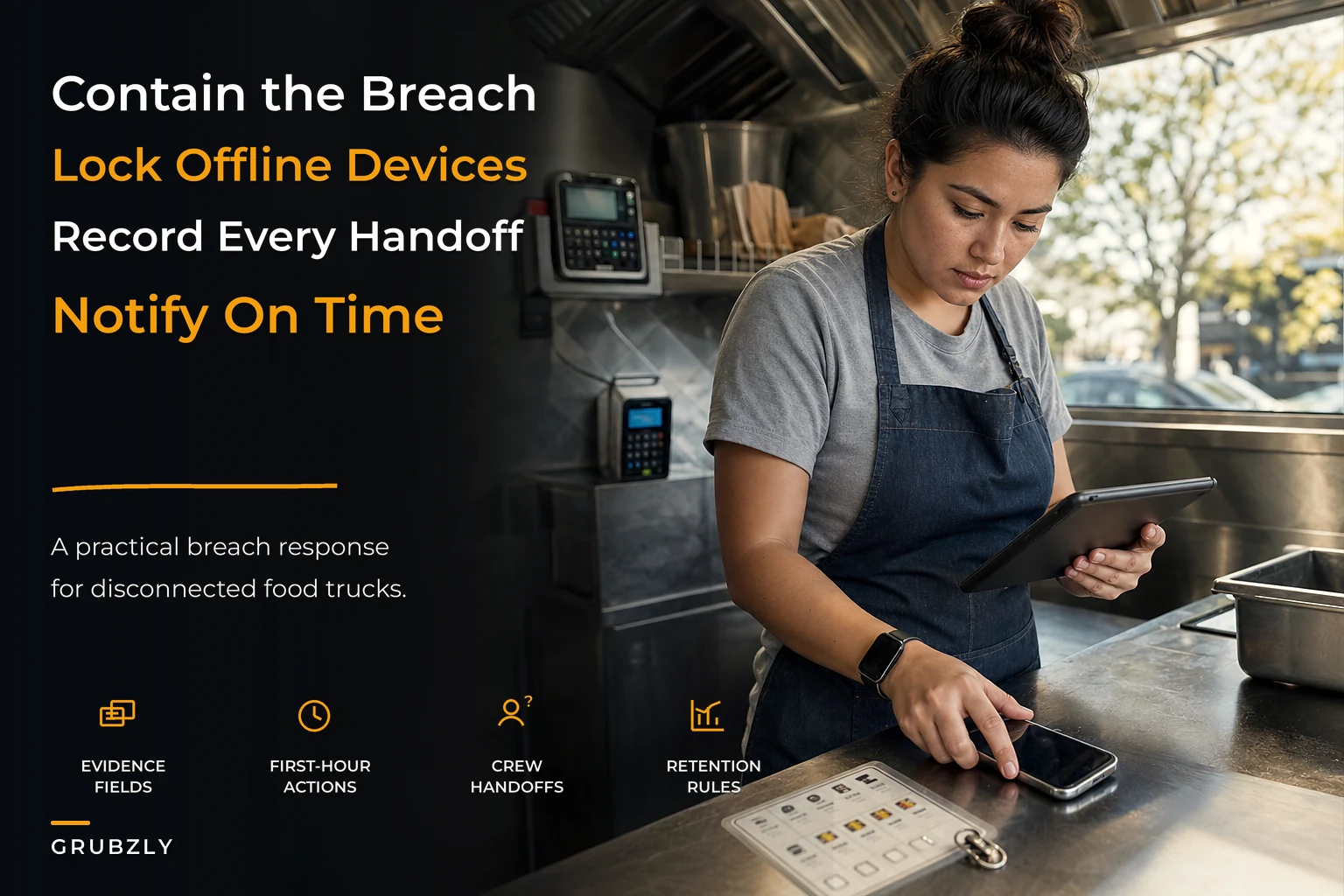
This is a playbook built for that reality. No SOC team, no IT department, no $40k incident retainer. Just the evidence fields, owner checklists, notification timing, and retention rules that a two-to-six person operation can actually run.
Why mobile vendors get breached differently than everyone else
The breach literature online assumes you have a network perimeter, servers, and logs. You have none of that. Your "attack surface" is a handful of physical devices moving through public spaces, plus whatever cloud accounts those devices log into.
What breaks for mobile vendors is almost always one of four things:
-
Physical device loss or theft — a tablet, phone, or card reader disappears, and it still has saved credentials or cached customer info.
-
Credential sprawl — one shared login for the POS, email, and loyalty system, known by five people, never rotated when someone quits.
-
Third-party exposure — your POS processor, loyalty app, or online ordering platform gets breached, and your customer list is in that dump even though your truck did nothing wrong.
-
Rogue or careless insider — a crew member screenshots the customer list, or a fired employee still has app access two weeks later.
The thread connecting all four: your devices are offline when the incident happens, so there's no real-time alert, no remote log, nothing. The breach is invisible until a human notices something physical is wrong. That's the core design constraint. Everything in your response plan has to survive the fact that you found out late and you found out manually.
This connects directly to how you govern your devices in the first place. If you haven't locked down who controls which accounts and devices, you're not responding to breaches — you're discovering them by accident. The groundwork for that lives in technology governance for mobile food operators, which is worth reading as the prevention layer underneath this response layer.
The evidence problem nobody prepares for
What quietly ruins incident response for small teams: you don't realize you needed evidence until you need it, and by then it's gone.
Stop losing sales to poor planning.
Grubzly helps you plan routes, track inventory, and maximize daily sales effortlessly.
- Real-time route optimization
- Inventory tracking & alerts
- Mobile sales & reporting
No credit card required
When a device goes missing at a lunch stop, the honest instinct is to shrug, assume it's lost, buy a new one, and move on. But if that device had customer payment info, email addresses, or loyalty data on it, you may have legal notification obligations, and your processor or insurer will want proof of what happened and when. If you can't produce a timeline, you look negligent — even if you weren't.
So the first real system is a minimum evidence record that any crew member can fill out in under five minutes, on paper if the phone is the thing that's gone.
Required evidence fields for every incident
| Field | Why it matters |
|---|---|
| Date & time discovered | Starts your notification clock; proves you acted promptly |
| Date & time incident likely occurred | Different from discovery; often a guess, write it anyway |
| Who discovered it | Accountability and follow-up contact |
| Device/account affected | Which tablet, reader, login, or platform |
| What data was on it | Payment, email, phone, loyalty, nothing — be specific |
| Was it encrypted / passcode-locked? | Hugely changes your legal exposure |
| Last known location / stop | Helps recovery and narrows exposure window |
| Immediate actions taken | Remote wipe, password change, call to processor |
| Photos (if physical) | Broken lock, pry marks, empty mount, open cash drawer |
That last column — immediate actions — is where tiny teams fall down. The crew member who discovers the problem usually doesn't know whether they're allowed to change a password or wipe a device. They freeze, they call you, you're mid-catering-prep, and ninety minutes evaporate. The evidence form should tell them what they're authorized to do on the spot.
If you already run an evidence discipline for insurance and physical incidents, this slots right alongside it. The same muscle you build in the food truck insurance claims workflow with on-truck evidence checklists — photograph first, document fast, escalate on a decision tree — is exactly what a data incident needs. Don't build two separate habits. Build one evidence reflex that covers a fender bender, a fryer fire, and a stolen tablet.
Owner-facing checklist: the first 60 minutes
When you get the call, you're the incident commander whether you want to be or not. The goal in the first hour isn't to solve everything — it's to stop the bleeding and preserve your options. Work in this order.
-
Contain the access. Change the password on the affected account immediately. If it's a shared login (it probably is), that single change may lock out the breach and half your crew mid-shift. That's fine — annoyed staff beats an open account. Rotate it, then redistribute.
-
Wipe or lock the device. If it's an iPad or phone with Find My / device management, trigger a remote lock, then a wipe if recovery looks unlikely. Note the time you did it on the evidence form.
-
Pull the device's access tokens. A wiped device can still have an active login session living in the cloud. Go into each connected account (POS, email, loyalty, ordering) and sign out all sessions / revoke device access.
-
Figure out the data scope. What was actually reachable from that device or account? Full customer export? Just the day's tickets? This determines whether you have a notification obligation or just an internal cleanup.
-
Call your payment processor if card data could be involved. They have breach procedures and will tell you fast whether you're on the hook for PCI notification. Don't guess at this one.
-
Start the clock and write it down. Note the discovery time prominently. Many notification rules key off "without unreasonable delay" from the moment you knew.
Steps 1 through 3 should happen even if you later decide no real data was exposed. The cost of over-reacting is a password reset and an irritated shift. The cost of under-reacting is explaining to a regulator why you waited.
Keep a printed evidence form where crew can reach it quickly during a shift.
A quick visual of the first-hour sequence.
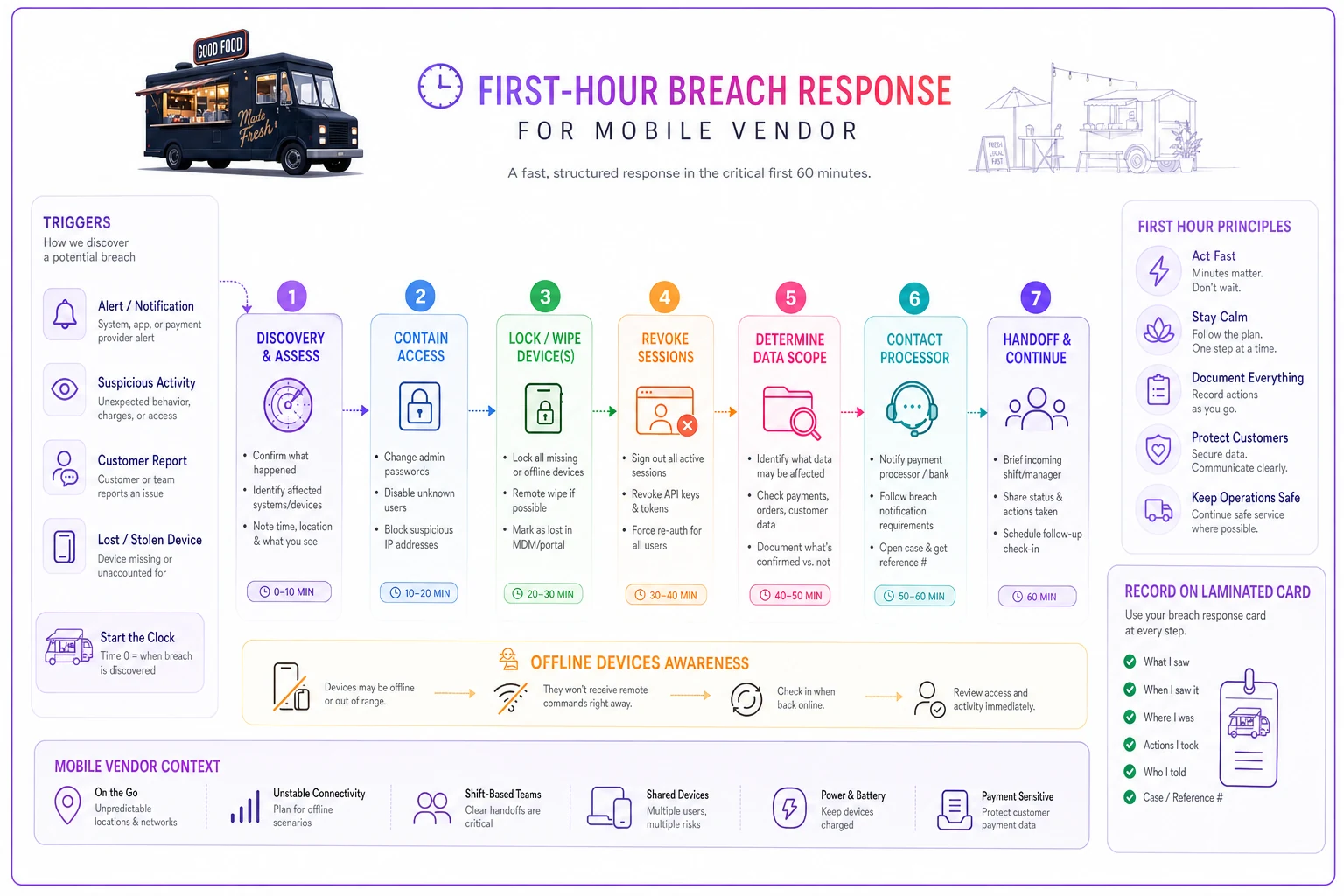
The goal in the first hour isn't to solve everything — it's to stop the bleeding and preserve your options. Work in this order.
Notification timing: templates that fit real obligations
This is the part that scares people into doing nothing, which is the worst possible response. You don't need to memorize fifty state statutes. You need a simple tiered framework and pre-written templates so you're not drafting legal-sounding emails at 11pm.
| Tier | Trigger | Who you notify | Target timing |
|---|---|---|---|
| Tier 1 — Internal | Any suspected incident | Owner + crew lead | Same shift |
| Tier 2 — Partner | Card data or platform data possibly exposed | Payment processor, affected vendor/platform | Within 24–48 hours |
| Tier 3 — Customer/Regulator | Confirmed exposure of personal data | Affected customers, possibly state AG | "Without unreasonable delay" — often interpreted as days, not weeks |
Pre-write two templates and store them where you can reach them offline:
-
A processor/vendor notice — short, factual
what happened, when, what data, what you've done. These folks deal with this constantly; they don't need prose, they need facts.
-
A customer notice — plain language, no corporate fog
what was exposed, what it means for them, what you're doing, what they should do (watch statements, reset a password). People forgive honesty fast and stonewalling never.
The mistake pattern here is predictable. Small operators either ignore the obligation entirely because it feels too big, or they panic-notify everyone including people who weren't affected, which creates needless alarm and sometimes legal exposure of its own. The tiered approach keeps you proportionate. Notify the processor fast, confirm scope, then decide on customers based on what you actually find.
Crew handoffs: where breaches hide and responses die
The single most under-addressed risk for mobile vendors is the shift handoff. Devices change hands, logins stay logged in, and nobody owns the gap. A tablet that's "missing" at 6pm might have been gone since the 11am swap — three people touched it in between, and none of them will remember clearly.
-
Device count. Physically count and confirm every tablet, reader, and phone by name. Thirty seconds. This is how you catch a loss within one shift instead of one day.
-
Session check. Confirm the outgoing operator is logged out of anything personal and the device is on the shared operational account only.
-
Key/cash/device custody signature. One line on the shift sheet
"All devices accounted for — [initials]." Now you have a timestamp for when things were last known-good, which is gold for your incident timeline.
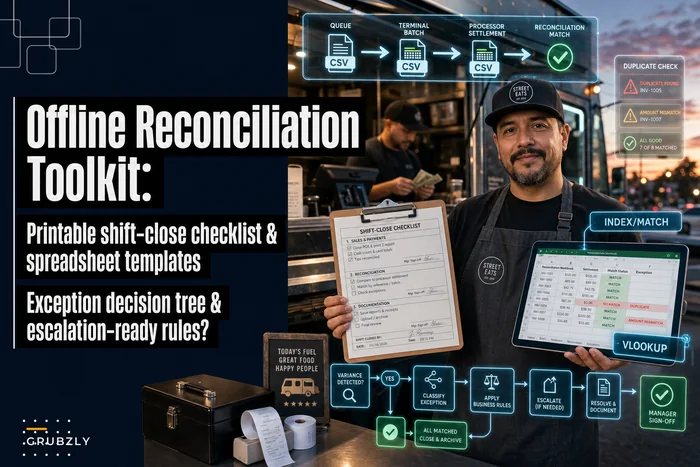
This is the same reconciliation discipline that already protects your money at close. If you run a structured end-of-shift routine — and you should — fold the device count into it. The offline reconciliation toolkit with a printable shift-close checklist is the natural home for this. You're already counting cash and reconciling tickets; counting devices and confirming logouts is three more lines on a sheet you're filling out anyway.
The deeper point: a breach response is only as good as your ability to say when things were last normal. Handoff signatures give you that boundary. Without them, every incident investigation starts with "sometime in the last two days, maybe," which is useless for both recovery and notification timing.
Retention rules a tiny team can actually follow
More data retained means more to lose. The quiet truth about breach exposure for food trucks is that most of it is self-inflicted — you're holding customer emails, phone numbers, and order histories you stopped needing years ago, sitting in an app nobody audits.
Set dead-simple retention rules and enforce them on a calendar, not on vibes:
-
Payment data You should almost never be storing raw card data. If your setup does, fix that first — let the processor hold it, not your device.
-
Customer contact data (email/phone) Keep only what an active loyalty or marketing relationship needs. Purge contacts with no activity in 18–24 months.
-
Incident records Keep your breach evidence forms and response logs for several years — this is the one thing you want more of, because it proves diligence.
-
Old device access When a device is retired or sold, wipe it and remove it from every account it ever touched. Retired hardware is a shockingly common leak.
The pattern that bites people: they migrate POS or loyalty platforms and leave the old account live "just in case." That dormant account, with its full customer export and a forgotten shared password, is the most likely thing to show up in a breach you never saw coming. Retention isn't just about deleting data — it's about closing accounts you've stopped watching.
A real scenario
A two-truck operation running weekend events — roughly 300–350 transactions on a good Saturday — lost a tablet at a festival stop. It had the POS app and the loyalty platform both logged in on a shared account, no passcode, with around 1,200 customer records reachable through the loyalty export.
Without any plan in place, this is how it would have gone: nobody notices until Sunday close, the owner assumes it fell behind a cooler, buys a replacement Monday, never changes the password. The old session stays live for weeks. If that data gets abused, there's no timeline, no evidence, and the story to the processor is "we think we lost it Saturday, maybe."
With a handoff count and an evidence form in place, the actual outcome was different: the 4pm crew change caught the missing device within about an hour of the loss. The lead changed the shared password on the spot, the owner remote-wiped and killed all sessions from her phone within the hour, and the evidence form captured discovery time, last-known stop, and actions taken. Scope turned out to be contact data, not card data — so the processor got a short factual notice, a smaller set of affected customers got a plain-language email, and the whole thing closed in days instead of becoming a slow-motion unknown.
The difference wasn't sophistication. It was that someone counted devices at handoff and knew what to do in the first hour.
When a formal breach response makes sense — and when it's overkill
Not every lost phone is a breach. Part of running this well is knowing when to spin up the full process and when a lock-and-log is enough.
Run the full response when: payment data could be involved, a device with customer data is gone and unrecoverable, a third-party platform notifies you of a breach, or a departing employee's access wasn't cut promptly.
A lighter touch is fine when: the device was passcode-locked and remotely wiped before anyone could access it, it was recovered quickly with no sign of tampering, or the "exposed" data was genuinely nothing sensitive. Still fill out the evidence form — but you're documenting, not notifying.
Who should not over-build this: a brand-new single-truck operator with one locked device and no stored customer data doesn't need a three-tier notification matrix laminated on the wall. Get the basics — passcodes, device management turned on, a one-page evidence form — and grow the rest as you add crew and devices. The complexity of your response plan should track the complexity of your operation, not someone else's compliance checklist.
Pulling it together
Breach response for mobile vendors isn't an IT project. It's an operations habit built on things you're already doing — counting devices, closing out shifts, documenting incidents. The reason most tiny teams respond badly isn't lack of tools. It's that nobody decided, in advance, what the first hour looks like and who's allowed to act.
Decide that now, while nothing's on fire. Write the evidence fields on one page. Put the device count in your shift handoff. Pre-draft the two notices. Set a purge date for old contacts and kill the accounts you've stopped using. The whole system fits on a couple of laminated cards and lives in the same binder as your cash reconciliation and your insurance evidence checklist — because when something goes wrong on a truck, the response that works is the one your crew can run without you standing there.
Decide that now, while nothing's on fire. Write the evidence fields on one page. Put the device count in your shift handoff. Pre-draft the two notices. Set a purge date for old contacts and kill the accounts you've stopped using. The whole system fits on a couple of laminated cards and lives in the same binder as your cash reconciliation and your insurance evidence checklist — because when something goes wrong on a truck, the response that works is the one your crew can run without you standing there.
Ready to drive your food truck business forward?
Join 2,000+ food truck operators relying on Grubzly to boost efficiency, increase sales, and delight customers.