

Most food truck owners don't have a "tech strategy." They have a pile of subscriptions. A POS the first partner picked, a scheduling app someone found on Reddit, a loyalty tool a rep sold them at a vendor fair, and a spreadsheet that quietly runs the whole business behind all of it. Nobody chose that stack — it just accumulated.
That's fine when you have one truck and one person who remembers how everything connects. It stops being fine the moment you add a second truck, a catering line, or a staff member who wasn't there when the passwords were set up. Suddenly nobody knows which system is the source of truth, why the loyalty numbers don't match the POS, or who's even allowed to cancel a subscription.
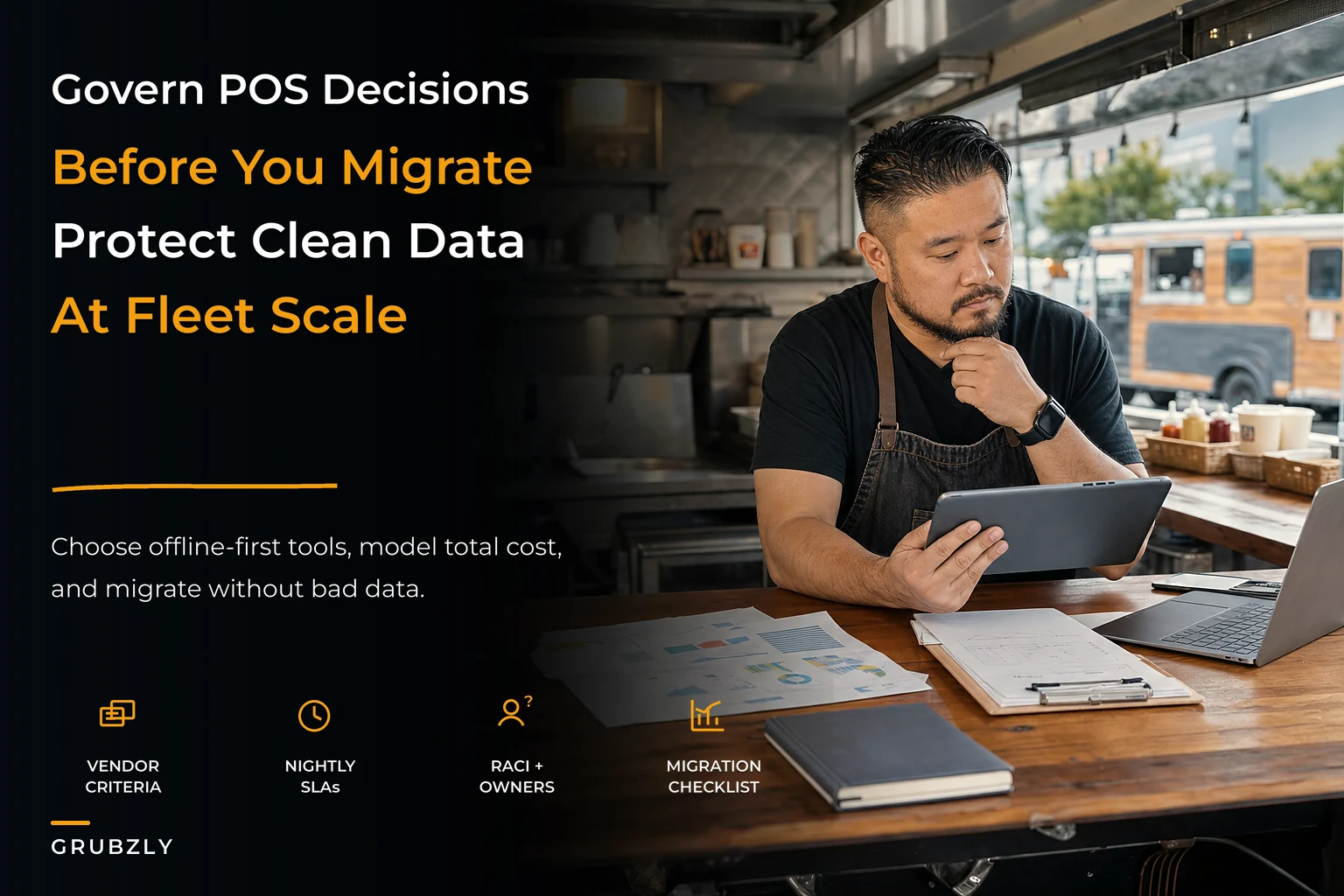
Food truck technology governance is just the boring answer to those questions: how you pick tools, who owns them, and how you move off the bad ones without corrupting your data. It's not glamorous, but it's the difference between a fleet that scales cleanly and one that spends every Sunday reconciling five apps that half-disagree with each other.
This is a leadership problem, not an IT problem. And the constraints are unusual — you're running software on vehicles that lose connectivity, on hardware that gets rained on, operated by people mid-lunch-rush. Buying tech for that environment is nothing like buying it for an office.
Why the "office software" evaluation checklist fails on a truck
Almost every vendor comparison guide online was written for businesses with reliable wifi and a desk. They rank tools on features, integrations, and price per seat. Useful, sort of — but it ignores the two things that actually break mobile food tech: intermittent connectivity and physical chaos.
The pattern shows up constantly. An operator picks the "best" POS on paper — great reporting, slick app, tons of integrations. Then during a busy Saturday at a park with no cell service, it can't process cards, can't pull up the menu, and freezes when it reconnects and tries to sync 200 backed-up transactions at once. The feature list was perfect. The operating environment was ignored entirely.
So before you compare a single feature, you need criteria tuned to how trucks actually run. The questions that matter aren't "does it integrate with X." They're:
-
What happens when the connection drops mid-transaction? Does it queue offline and reconcile later, or does it just fail?
-
When it reconnects, does it sync cleanly — or does it double-charge, drop, or duplicate records?
-
Can a new hire operate it with 10 minutes of training during a rush?
-
If the vendor disappears tomorrow, can I export my data in a usable format?
-
Does it work on the cheap tablet I actually own, or does it need the latest hardware?
That last one catches people. Plenty of tools technically "run" on older hardware but crawl badly enough that ticket times suffer. On a truck, a two-second lag per order compounds into a much longer line.
Offline behavior is the real filter. If you've dealt with reconciling loyalty punches or POS closes after a dead-signal day, you already know the pain — the offline-first close playbook thinking goes deeper on exactly that. A tool that can't handle intermittent connectivity gracefully will generate garbage data no matter how good it looks in the demo.
Vendor selection criteria, scored the way that actually matters
When evaluating two or three options, don't use a generic pros/cons list. Weight the criteria toward your real constraints. Here's a scoring frame worth stealing — the point is the weighting, not the exact numbers.
Stop losing sales to poor planning.
Grubzly helps you plan routes, track inventory, and maximize daily sales effortlessly.
- Real-time route optimization
- Inventory tracking & alerts
- Mobile sales & reporting
No credit card required
| Criteria | Weight | Why it matters on a truck |
|---|---|---|
| Offline / intermittent handling | 30% | This is where mobile tech dies. Non-negotiable. |
| Data export & portability | 15% | You will migrate off it eventually. Lock-in is a slow tax. |
| Ease of frontline use | 15% | High staff turnover means training cost is recurring. |
| Reconciliation accuracy after sync | 15% | Bad syncs create phantom revenue and tax headaches. |
| True total cost (not sticker price) | 15% | Add-ons, hardware, transaction fees, support tiers. |
| Feature depth | 10% | Ranked last on purpose. Features rarely break service. |
Feature depth is dead last. That feels wrong to most buyers, because features are what vendors sell. But in real operations, features almost never cause the 8 p.m. meltdown. Connectivity handling and sync reconciliation do.
The other thing this frame forces: data portability gets real weight. A tool that traps your history in a format you can't export is a tool you'll be stuck with long after it stops serving you, simply because leaving is too painful. Score that upfront, when you still have leverage.
The TCO math nobody runs before signing
Sticker price is a lie of omission. The monthly plan is maybe half of what a tool actually costs a small fleet. The rest hides in transaction fees, hardware, add-on modules, support tiers, and the labor cost of working around the tool's limitations.
A worked example for a tiny fleet — say two trucks — comparing a cheap-looking POS against a slightly pricier one that handles offline properly.
Option A — the "cheap" POS:
-
Base plan
~$70/mo per truck → ~$140/mo
-
Card processing
~2.9% + $0.30 per swipe
-
Offline mode
weak. Roughly one lost or duplicated batch per busy weekend
-
Estimated reconciliation labor
~2 hours/week of owner time cleaning up sync errors
Option B — the "expensive" POS with solid offline handling:
-
Base plan
~$99/mo per truck → ~$198/mo
-
Card processing
~2.6% + $0.10 per swipe
-
Offline mode
reliable queue-and-sync
-
Reconciliation labor
near zero
On paper Option A saves about $58/month. But run the full picture. Say each truck does roughly $9k–$11k a month in card sales. The processing rate difference (2.9% vs 2.6%) on ~$20k combined card volume is around $60/month right there — already eating the "savings."
Then there's the reconciliation labor: 2 hours/week is roughly 8–9 hours/month. Even valuing that time at $25–30/hour, that's another $200–270/month of your life spent fixing avoidable data problems. And that's before a single mis-charged customer or a tax filing built on numbers that don't tie out.
The "cheap" option costs meaningfully more once you count everything. The tool that looks $50 cheaper often runs a few hundred more per month in fees and cleanup. You just don't see it until you're three months in.
Run this math before you sign, even roughly. You don't need a perfect model — you need to force the hidden costs into the open where you can actually compare them.
Who owns what: a minimal RACI that fits a small team
Here's a failure mode that's almost universal in small fleets: everyone can touch every system, so nobody actually owns any of them. When the loyalty tool starts double-counting, three people assume someone else is handling it. The answer is usually nobody.
You don't need an org chart. You need to answer, for each system, four questions: who's Responsible (does the work), who's Accountable (the one person ultimately on the hook), who gets Consulted, and who gets Informed. That's RACI, stripped to something a five-person operation can actually use.
A workable version for a two-truck operation:
-
POS + payments — Responsible
shift leads (daily close). Accountable: owner. Consulted: bookkeeper. Informed: all staff.
-
Inventory / ordering — Responsible
prep lead. Accountable: owner. Consulted: suppliers. Informed: shift leads.
-
Loyalty / customer data — Responsible
whoever runs marketing (often the owner). Accountable: owner. Consulted: none. Informed: staff who redeem.
-
Scheduling / permits — Responsible
ops manager or owner. Accountable: owner. Consulted: commissary. Informed: staff.
The single most important rule: each system has exactly one Accountable person. Not two. That person decides when to migrate, who has admin access, and who's allowed to cancel it. In small operations that's usually the owner for everything early on, which is fine — the point is that it's written down so it survives the day you hand a system off to someone else.
The moment you can't answer "who's accountable for the POS data" without hesitating, you've found the governance gap that'll cost you in your next migration.
The migration checklist that prevents garbage-in
Migrations are where small fleets quietly poison their own data. You move from one system to another, the import "works," and six weeks later you realize half your customer records are duplicated, product costs migrated wrong, and your loyalty balances are off. Garbage in, garbage forever — because now it's baked into your new source of truth.
The mistake is treating migration like a copy-paste. It's not. It's a chance to clean, and a serious risk if you skip that step. Here's the process that keeps garbage out:
-
Freeze the old data first. Pick a cutover date. No new records in the old system after that point, or you'll be chasing a moving target.
-
Audit before you export. Deduplicate customers, kill dead SKUs, fix obviously wrong costs. Migrating dirty data just relocates the mess.
-
Map every field, explicitly. Where does "unit cost" in the old system land in the new one? Mismatched field mapping is the number-one cause of silent corruption.
-
Do a test import with a sample. Bring in 50–100 records, not everything. Check them by hand against the source.
-
Reconcile the sample. Do loyalty balances match? Do product costs tie out? If the sample's wrong, the full import will be wrong at scale.
-
Run both systems in parallel for one cycle. For a week or two, keep the old one readable. If numbers diverge, you can catch it while you still have the original to compare against.
-
Only then, decommission. Export a final archive of the old system before canceling. You'll want it at tax time.
Quick pre-migration checklist:
-
Cutover date set and communicated to staff
-
Full backup / export of old system saved somewhere safe
-
Duplicate customers and dead SKUs cleaned
-
Field mapping documented (old field → new field)
-
Sample import tested and hand-verified
-
Parallel-run period scheduled
-
One person Accountable for sign-off
Assign one person as the Accountable sign-off to avoid last-minute cutover disputes.
The parallel run is the step everyone wants to skip. It's a little extra work for a week or two, but it's the only thing that reliably catches a bad migration before it becomes your permanent history.
This gets more complicated as you add integrations — when your POS feeds your inventory which feeds your accounting, one bad field mapping cascades everywhere. If you're wiring systems together, it's worth designing those connections deliberately rather than letting them sprawl; the minimal integration architecture approach covers how to keep those data flows sane instead of tangled.
A quick visual of the migration steps can help teams remember the order.
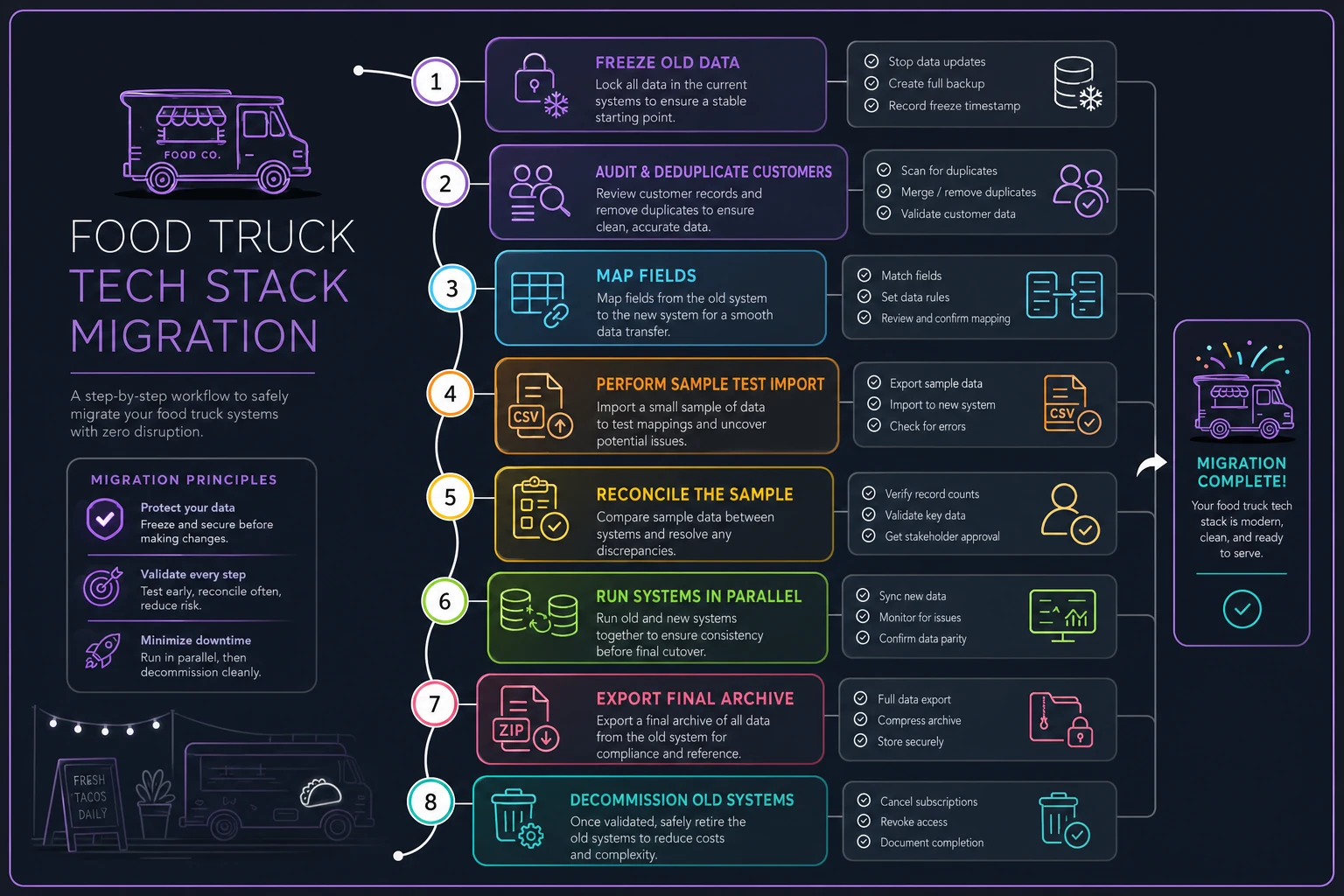
The parallel run is the safety net that turns a risky flip into a controlled project; treat it as mandatory for anything beyond trivial changes.
A real scenario: two trucks, one migration, and a near-miss
Consider a two-truck operation doing tacos and coffee, somewhere around $65k–$75k a year per truck. They'd been on a bargain POS that struggled offline — every busy weekend they'd end up with a handful of transactions that either duplicated on reconnect or vanished entirely. Not catastrophic day to day, but the monthly close was a nightmare and the sales tax numbers never quite tied out.
They decided to migrate to a better system. First attempt: they did the copy-paste version. Exported everything, imported everything, flipped the switch. Within two weeks they had duplicate customer records in the loyalty program (people getting free items twice) and product costs that had landed in the wrong field, throwing off every margin report.
They caught it only because — almost by accident — they hadn't fully canceled the old system yet. That "we'll cancel it next month" laziness was the only thing that let them compare and catch the mess.
Second attempt, they did it right. Cleaned the data first (found around 400 duplicate or junk customer entries), mapped fields explicitly, tested a sample of roughly 80 records, and ran both systems in parallel for two weeks. The clean migration took maybe an extra weekend of work. But the monthly close that used to eat most of a Sunday dropped to a couple of hours, and the sales tax numbers finally reconciled without manual patching. The extra care paid for itself in the first month of cleaner reporting.
The lesson isn't that migrations are hard. It's that the slow, careful version is cheaper than the fast, sloppy one — you just pay at a different time.
When this level of governance actually makes sense (and when it's overkill)
Not every operator needs a formal RACI and a weighted scoring matrix. If you're a genuinely one-truck, one-owner business who does everything yourself, most of this can live in your head and a well-organized spreadsheet. Forcing corporate process onto a solo operation just creates busywork.
This starts to matter when:
-
You're running two or more trucks
-
Anyone other than the owner touches the systems
-
You've added a catering or delivery line that pulls from the same data
-
You're about to migrate or add a new integration
-
Your monthly close regularly surprises you
It's probably overkill when:
-
You're one truck, seasonal, and everything already reconciles fine
-
You have no plans to add trucks, staff, or new tools
The honest signal that you've crossed the threshold: the first time you go to change a tool and realize you're afraid to, because you're not sure what else it's quietly connected to. That fear is the governance gap talking.
Tying it together
Technology on a food truck isn't really a tech question — it's an ownership and workflow question wearing a tech costume. The tools you pick shape how clean your data is, how fast your close runs, and whether your numbers survive a bad-signal Saturday. The way you own those tools decides whether anyone can actually fix things when they break.
The operators who scale smoothly aren't the ones with the fanciest stack. They're the ones who chose tools for their real constraints, wrote down who owns what, and treated every migration as a chance to clean rather than a chance to copy. When your systems feed each other — POS into inventory, inventory into ordering, ordering into your supplier relationships — the discipline compounds. It's the same reason tight commissary procurement and vendor SLA systems hold up under pressure: the boring upfront structure is what lets you move fast later without everything falling apart.
Do the unglamorous work once, and you buy yourself the freedom to grow without dreading every Sunday close.
Do the unglamorous work once, and you buy yourself the freedom to grow without dreading every Sunday close.
Ready to drive your food truck business forward?
Join 2,000+ food truck operators relying on Grubzly to boost efficiency, increase sales, and delight customers.