

A rained-out lunch stop is annoying. A rained-out lunch stop that cascades into a missed dinner event, a scrambled refund fight with a private client, and a Monday morning where nobody can remember who was told what — that's an operational failure, not bad luck.
The gap between those two outcomes isn't the weather. It's whether you have a system that catches the signal early, makes the cancel/hold/proceed decision fast, and executes the recovery the same way every time. Most trucks don't. They improvise, and improvisation on a five-stop day is where money quietly leaks out — deposits refunded that didn't need to be, food prepped for events that were already dead, customers who never got a message and now leave one-star reviews.
This is the connective tissue between a lot of stuff you probably already do separately: reading the weather, deciding whether to pull the plug, telling customers, handling refunds, figuring out whether your insurer or the event contract covers any of it. Treated as separate chores, they fall apart under pressure. Treated as one lifecycle, they get boring and repeatable — which is exactly what you want when things are going sideways.
Why multi-stop days break in a specific order
The failure almost always follows the same sequence, and understanding it is half the battle.
First, a detection signal shows up — a storm cell an hour out, an event organizer who's gone quiet, a venue that hasn't confirmed load-in. Second, nobody's sure whose call it is or what the threshold is, so the decision drifts. Third, by the time someone decides, prep is already done and staff are already rolling. Fourth, customer communication happens in a panic — inconsistently, some by text and some not at all. Fifth, refunds get handled emotionally instead of by rule. Sixth, days later, someone asks whether the loss was recoverable through insurance or the event contract, and by then the evidence is gone.
Each step compounds the last. A slow decision makes the comms worse. Bad comms make refunds messier. Messy refunds make the contract escalation harder because you've already handed back money you might've been owed.
Food truck operational risk management isn't about being lucky with weather — it's about compressing that six-step chain so it resolves in minutes instead of unfolding over a chaotic afternoon.
What changes as you scale is brutal. One truck with an owner who makes every call can survive on gut feel. Three trucks running eleven combined stops on a Saturday cannot. The owner is physically at one location and blind to the other two. Whoever's on Truck 3 doesn't know they're allowed to cancel, so they sit in an empty parking lot for two hours burning generator fuel, waiting for a text that never comes.
The detection layer: signals that should trigger a decision
Before you can decide anything, you need to agree on what counts as a signal worth acting on. Vague awareness — "looks like rain" — isn't a signal. A signal is specific, has a source, and maps to a threshold.
Stop losing sales to poor planning.
Grubzly helps you plan routes, track inventory, and maximize daily sales effortlessly.
- Real-time route optimization
- Inventory tracking & alerts
- Mobile sales & reporting
No credit card required
Here are the categories that actually matter for mobile vendors, and what a usable trigger looks like for each:
-
Weather — Not "chance of rain," but concrete thresholds: sustained wind over roughly 25 mph (canopy and awning risk), lightning within about 10 miles, heat index crossing your line for safe service, or accumulation forecasts that will empty a foot-traffic stop. The trigger is the number, not the vibe.
-
Venue/organizer no-show or silence — A confirmed load-in time that passes with no contact, an organizer who hasn't answered a confirmation ping by an agreed cutoff, or a gate that's locked when you arrive.
-
Attendance collapse — For events, a headcount revised down past your break-even point. If you quoted 400 and the organizer now says 90, that's a signal even in perfect weather.
-
Truck-side failures — A generator problem, a refrigeration reading trending wrong, a crew member who called out and left you understaffed for the ticket velocity a stop demands.
-
Access and permit issues — A street closure, a revoked permit, or a competing event blocking your spot.
The thing most operators miss: detection has to happen on a clock, not just in reaction to something obvious. Dead events are rarely dramatic. They're the ones where the organizer went quiet three days ago and you kept prepping anyway because nobody assigned someone to notice the silence.
Build a confirmation cutoff into every event booking — if you haven't reconfirmed headcount and load-in by 5 PM the day before, that triggers a review — and half your surprises disappear.
Build a confirmation cutoff into every event booking — if you haven't reconfirmed headcount and load-in by 5 PM the day before, that triggers a review — and half your surprises disappear.
The tiered cancellation decision tree
Once a signal fires, a flat "should we cancel?" is too blunt. You want tiers, because most bad situations don't call for a full cancellation — they call for a hold, a partial pull, or a modified plan.
Here's the tier structure that holds up across most operations:
| Tier | Situation | Default action | Who decides |
|---|---|---|---|
| 1 — Monitor | Signal detected but below threshold (rain possible, organizer slow to reply) | Keep prepping, set a recheck time, ping organizer | Shift lead |
| 2 — Hold | Signal near threshold; outcome uncertain within 1–2 hrs | Pause final prep, hold staff dispatch, delay load-in | Shift lead + owner notified |
| 3 — Modify | Stop is compromised but partly salvageable | Shorten hours, reduce menu, relocate, split crew to a better stop | Owner or ops manager |
| 4 — Cancel single stop | One stop is dead, others viable | Pull that stop, redeploy inventory/staff, run recovery comms | Owner or ops manager |
| 5 — Cancel day / event | Whole day or a contracted event is unworkable or unsafe | Full cancellation, refund workflow, contract/insurer review | Owner only |
The reason to write this down isn't bureaucracy. Under stress, people default to the two extremes — "we're fine, push through" or "screw it, cancel everything" — when the money is almost always in the middle tiers. The Tier 3 modify move is the one that gets skipped most and costs the most. Relocating a dead street stop to a busier one two miles away, or trimming a 14-item menu down to 5 fast movers when you're short-staffed, recovers revenue that a full cancel throws away.
One rule that saves arguments: decision rights follow the tier, not the person's mood. If your shift lead knows they own Tiers 1 and 2 without calling you, decisions happen at the speed the day requires. The owner shouldn't be the bottleneck for pausing prep.
Templated communications: the part everyone does worst
The content of a cancellation message is almost never the problem. The problem is speed, consistency, and coverage. When a stop dies, you're communicating to at least four different audiences, and each needs something different:
-
Your own crew — who's redeployed where, what to do with prepped food, who's released for the day.
-
Walk-up / regular customers — social post, story, and any followers who track your location.
-
Prepaid / pre-order customers — the ones with money in the game who need refund clarity.
-
Event organizers / private clients — the highest-stakes, contract-governed conversations.
If you're writing these from scratch at 11 AM during a storm, they come out inconsistent, some go out late, and the prepaid customers — the ones most likely to be angry — often get missed entirely.
The fix is a small library of pre-written templates with fill-in blanks, one per scenario and audience. You want a weather-cancel walk-up post, a weather-cancel prepaid message with refund terms baked in, an organizer-cancellation note, a relocation announcement, and a delay/hold notice. Write them once, calmly, and they'll be ten times better than anything drafted in the moment.
> Subject: Your [ORDER/EVENT] on [DATE] — cancellation & refund > Hi [NAME] — unfortunately we've had to cancel [STOP/EVENT] at [LOCATION] today due to [REASON]. Your order of [ITEMS/AMOUNT] will be [refunded in full / credited / rescheduled] — no action needed on your end. Refunds post within [X business days]. We're sorry for the trouble and we'll be back at [NEXT LOCATION/DATE]. Reply here if anything's off.
The value is in the blanks being the only thing you fill in. Reason, amount, refund method, timeline. Everything else is locked. That's what keeps the message consistent whether it's you sending it or a nervous crew member on Truck 3 who's never handled a cancellation before.
Refund rules that don't bleed you dry
Refunds are where good intentions cost real money. Refunding everyone in full to avoid conflict feels generous, but it ignores two things: some cancellations aren't your fault and aren't fully refundable under your own terms, and some losses are recoverable elsewhere.
-
Vendor-caused (truck breakdown, staffing, you no-showed) full refund, no argument. This is on you.
-
Weather / safety, prepaid walk-up orders full refund or credit — your call, but pick one and stick to it. Credits keep the cash and the customer.
-
Weather / safety, contracted events governed by the contract's force majeure and deposit terms, not by your walk-up policy. This is the big one people botch — they refund an event deposit reflexively that the contract actually let them keep.
-
Organizer-caused (attendance collapse, they cancelled late, locked venue): deposit typically retained per contract; recovery pursued from the organizer, not eaten by you.
The pattern that costs money: treating a $2,000 contracted event exactly like a $14 prepaid order. They live in completely different rulebooks, and if your reconciliation isn't tracking which refund came from which cause, you'll never learn where the leaks are.
This ties directly into how you close the books — the same discipline that makes your offline-first month-end close survive intermittent POS syncs is what lets you spot refund patterns you'd otherwise miss.
The insurer and contract escalation matrix
This is the layer almost everyone forgets until it's too late, and it's the difference between eating a loss and recovering it. When a day blows up, there's often money to be reclaimed — but only if you know the path and preserve the evidence in the moment, not three weeks later.
-
Weather cancellation of a contracted event → check force majeure clause → notify organizer in writing same-day → capture weather data, timestamps, and photos.
-
Organizer no-show / late cancel → invoke contract cancellation terms → written notice with timestamps → save all communication threads.
-
Truck failure causing a missed event → business interruption or equipment coverage may apply → document the failure, repair records, and lost booking value.
-
Property or spoilage loss from a power/refrigeration failure → insurance claim → temperature logs, inventory records, photos.
The critical move is that evidence capture happens as part of the cancellation workflow, not as a separate afterthought. By the time you remember to file a claim, the storm has passed, the temperature logs are gone, and the organizer's story has changed.
The same evidence discipline that governs a proper food truck insurance claims workflow with on-truck evidence checklists applies here — cancellations and claims share the same backbone, and if you've already built one, you're most of the way to the other.
A realistic example: a truck eats a fully-prepped catering loss because the organizer cancelled the night before, refunds the client's deposit to avoid conflict, and never checks the contract. The contract had a 72-hour cancellation window that entitled them to keep half the deposit and bill for prepped food. That's often a four-figure difference on a single event — voluntarily thrown away because the escalation step wasn't part of the routine.
Worked example: a five-stop Saturday going wrong
Here's how the full lifecycle runs when it's actually built as a system.
A two-truck operation has five stops booked for a Saturday: three street stops and two private events, one of them a birthday party quoted at 150 people. Around 9 AM, two signals fire at once — a storm cell tracking toward the afternoon street stops, and the party organizer hasn't reconfirmed headcount despite a 5 PM cutoff the previous evening.
-
Detection — Both signals are logged, not just noticed. The weather is Tier 2 (near threshold), the silent organizer is Tier 1 escalating fast.
-
Hold — Shift lead pings the organizer with a hard cutoff
"need headcount by 10:30 or we treat this as cancelled per our terms." Final prep for the two afternoon street stops is paused, not started. Truck 1's morning stop proceeds normally.
-
Signals resolve — The organizer confirms 150 at 10
15, so that event is live and prep proceeds. The storm intensifies; the two afternoon street stops hit Tier 4. One gets cancelled outright, the other gets modified — relocated to a busy indoor food hall spot that had an opening.
-
Communications — The walk-up cancel post and relocation announcement go out from pre-written templates within minutes. No prepaid orders on those stops, so no refund packet needed.
-
Recovery — Crew and inventory from the dead street stop get redeployed to the relocated stop and to prepping the confirmed birthday event. What would've been roughly $600 of wasted prep and dead-air afternoon turns into a busy relocated stop plus a fully-served event.
The old version of this day — no tiers, no templates, no held prep — would've meant fully prepping both doomed street stops, cancelling in a panic with inconsistent messaging, and probably under-prepping the birthday because everyone was distracted. The difference wasn't the weather. It was that every step had an owner, a threshold, and a template.
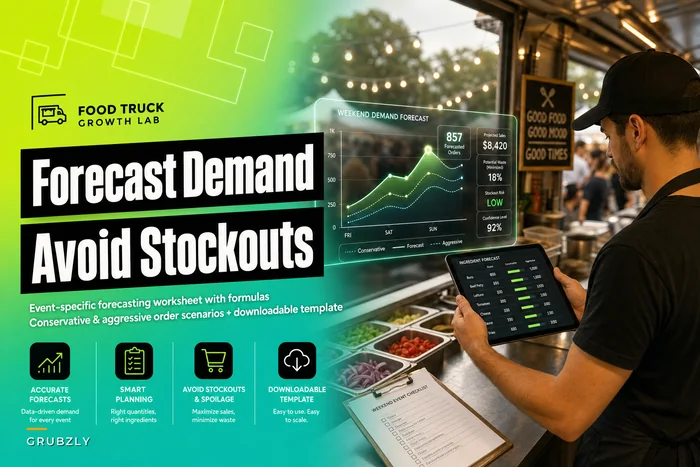
Forecasting event demand accurately in the first place also makes this smoother — solid ingredient demand forecasting for weekend events is upstream of the whole recovery being possible.
When a formal playbook is overkill — and when it's not
Not every operation needs all six layers written down.
When this is worth building fully: you're running more than one truck, doing regular contracted events with deposits, or your Saturdays involve four or more stops. At that scale, decisions can't route through one person's head, and the losses from inconsistency are real money — thousands per season in avoidable refunds and wasted prep.
When a lighter version is fine: single truck, mostly walk-up, few or no contracted events. You still want the detection thresholds and a couple of comms templates, but you don't need a five-tier decision tree when you are the entire decision tree. Overbuilding here just creates paperwork nobody uses.
Who should skip the insurer/contract matrix entirely: if you never take deposits and never sign event contracts, that whole layer is irrelevant for you — revisit it when your business model changes.
The tell that you've outgrown improvisation is simple: it's the first Saturday where two things go wrong at two different locations at the same time and you physically can't be in both places. That's the day the system pays for itself.
Keeping it all in one place
The reason these playbooks fail in practice usually isn't the logic — it's that the pieces live in five different places. The weather thresholds are in someone's head, the templates are in a Notes app, the refund rules are half-remembered, and the contract terms are in a PDF nobody's opened since signing. Under pressure, scattered systems collapse back into improvisation.
Operational platforms that actually help hold the whole lifecycle in a single flow — where a logged detection signal pulls up the right decision tier, the chosen action surfaces the matching communication template, refunds route by cause, and evidence capture is a step in the process rather than an afterthought. AI-assisted tools can handle the tedious parts quietly in the background: flagging a storm cell against your stop schedule, nudging you when an organizer's gone silent past a cutoff, prompting the evidence checklist the moment a cancellation is logged. The point isn't automation for its own sake — it's that the boring, repeatable steps get done the same way whether it's a calm Tuesday or a chaotic Saturday with three trucks in play.
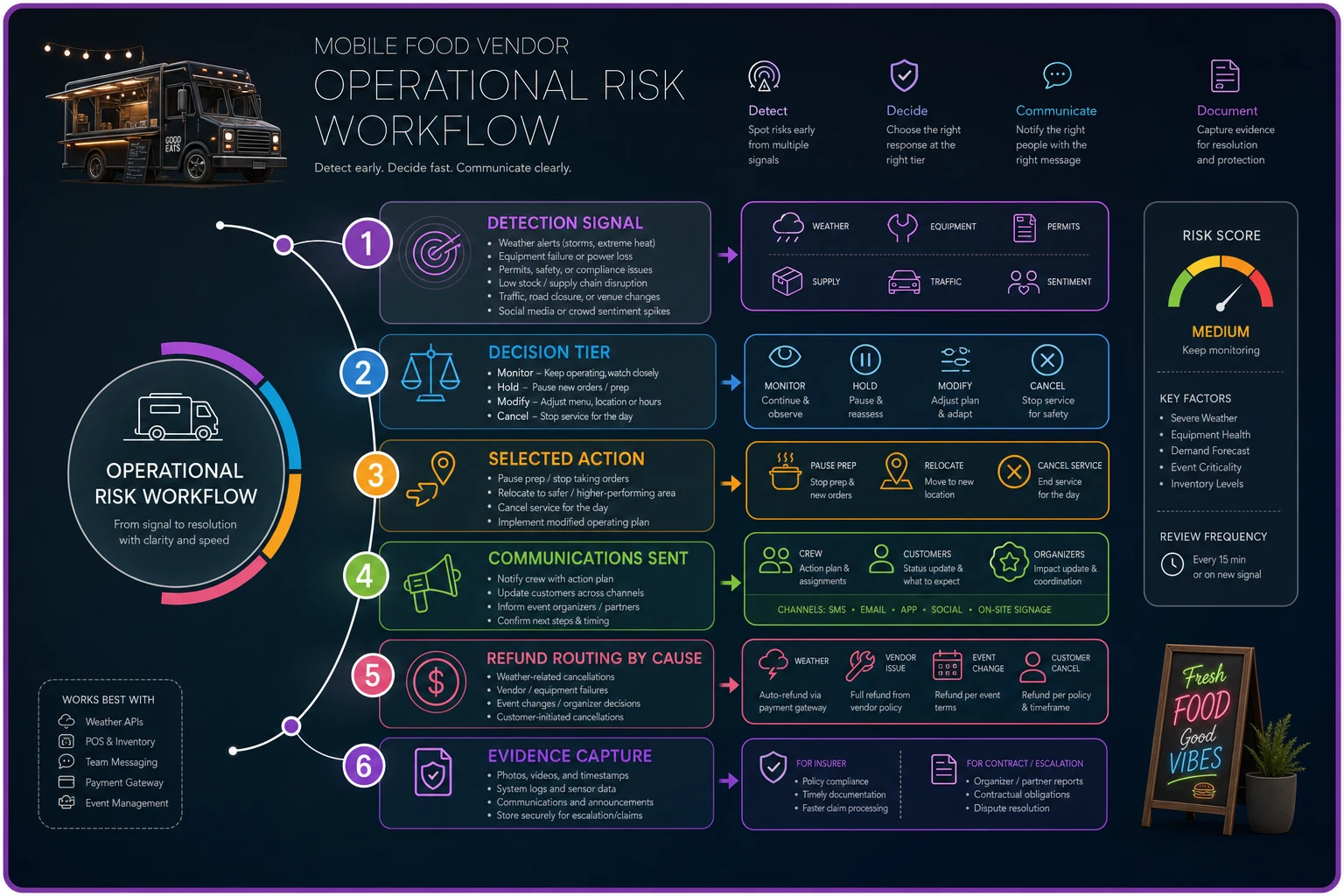
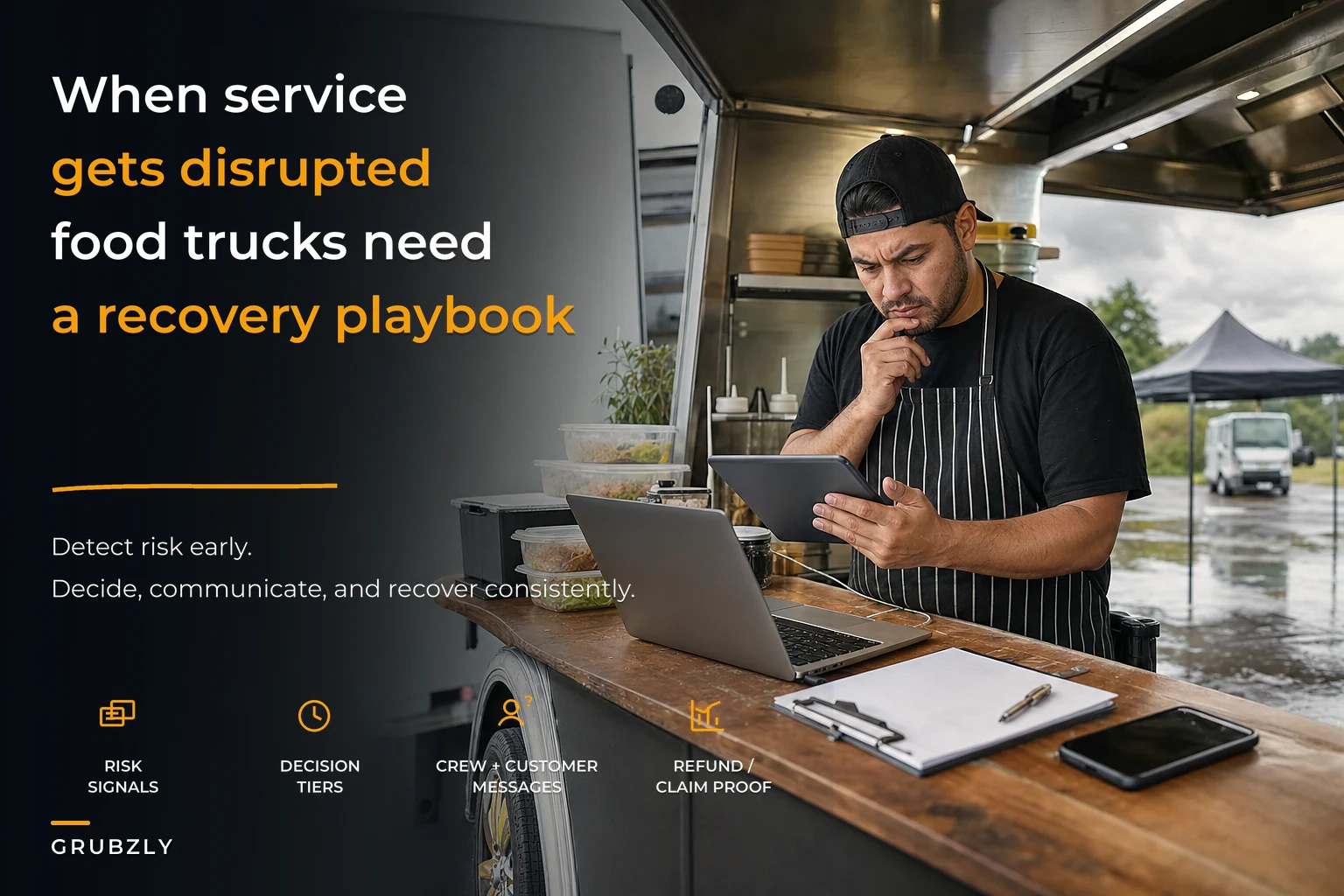
A simple workflow diagram like this makes it easy for a crew member to follow the steps when the day goes sideways.
But the tool is downstream of the thinking. Build the tiers, write the templates, set the refund rules, and map the escalation paths first. Do that, and a bad-weather day stops being a scramble and starts becoming what it should be — a routine you've run before, resolved in minutes, with the money you were owed still in your pocket.
Ready to drive your food truck business forward?
Join 2,000+ food truck operators relying on Grubzly to boost efficiency, increase sales, and delight customers.